Project Vision
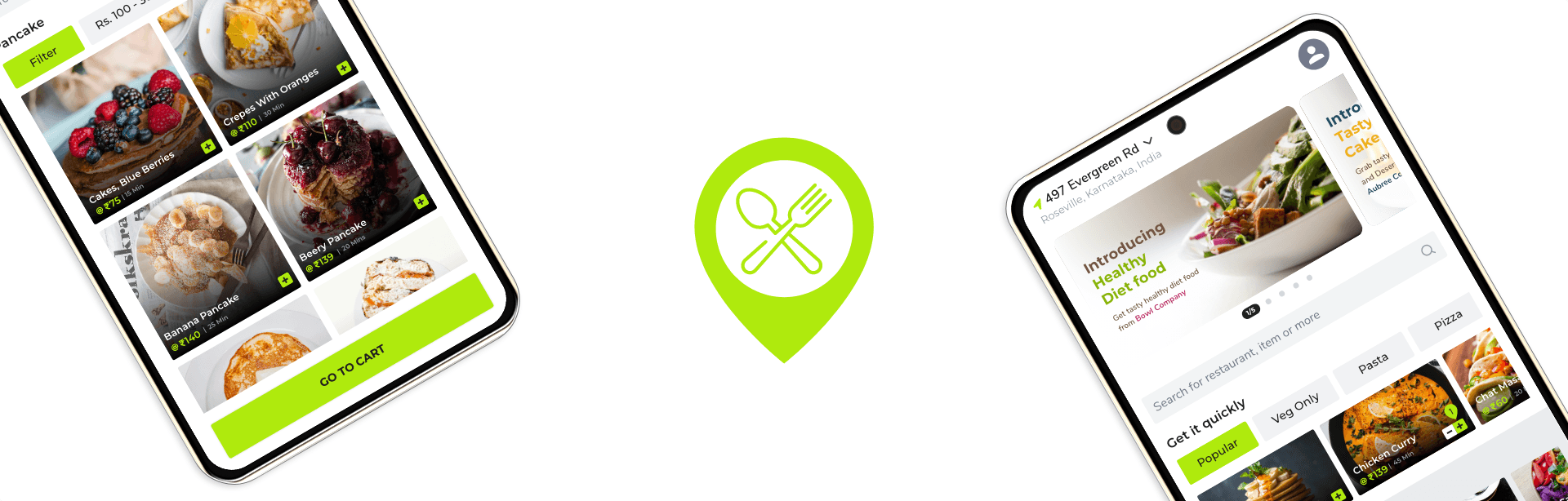
Quickery Food Delivery App, helps users to place food orders quickly and easily. Quickery App strives to deliver healthy, speciality food and side dishes. They offer a wide spectrum of competitive pricing. Quickery App targets customers like commuters and workers who lack the time or ability to prepare food at home.
Project Vision
Quickery Food Delivery App, helps users to place food orders quickly and easily. Quickery App strives to deliver healthy, speciality food and side dishes. They offer a wide spectrum of competitive pricing. Quickery App targets customers like commuters and workers who lack the time or ability to prepare food at home.
Challenges
1. Create an app for Busy workers and commuters who lack the time necessary to prepare a meal.
Search for the healthy food near the user's loaction.
Sort the food items based on type, brand, offer to suggest the user for quick order.
Need to consider assistive technologies which helps people with disabilities.
Challenges
1. Create an app for Busy workers and commuters who lack the time necessary to prepare a meal.
Search for the healthy food near the user's location.
Sort the food items based on type, brand, offer to suggest the user for quick order.
Need to consider assistive technologies which helps people with disabilities.
Kickoff
Kickoff
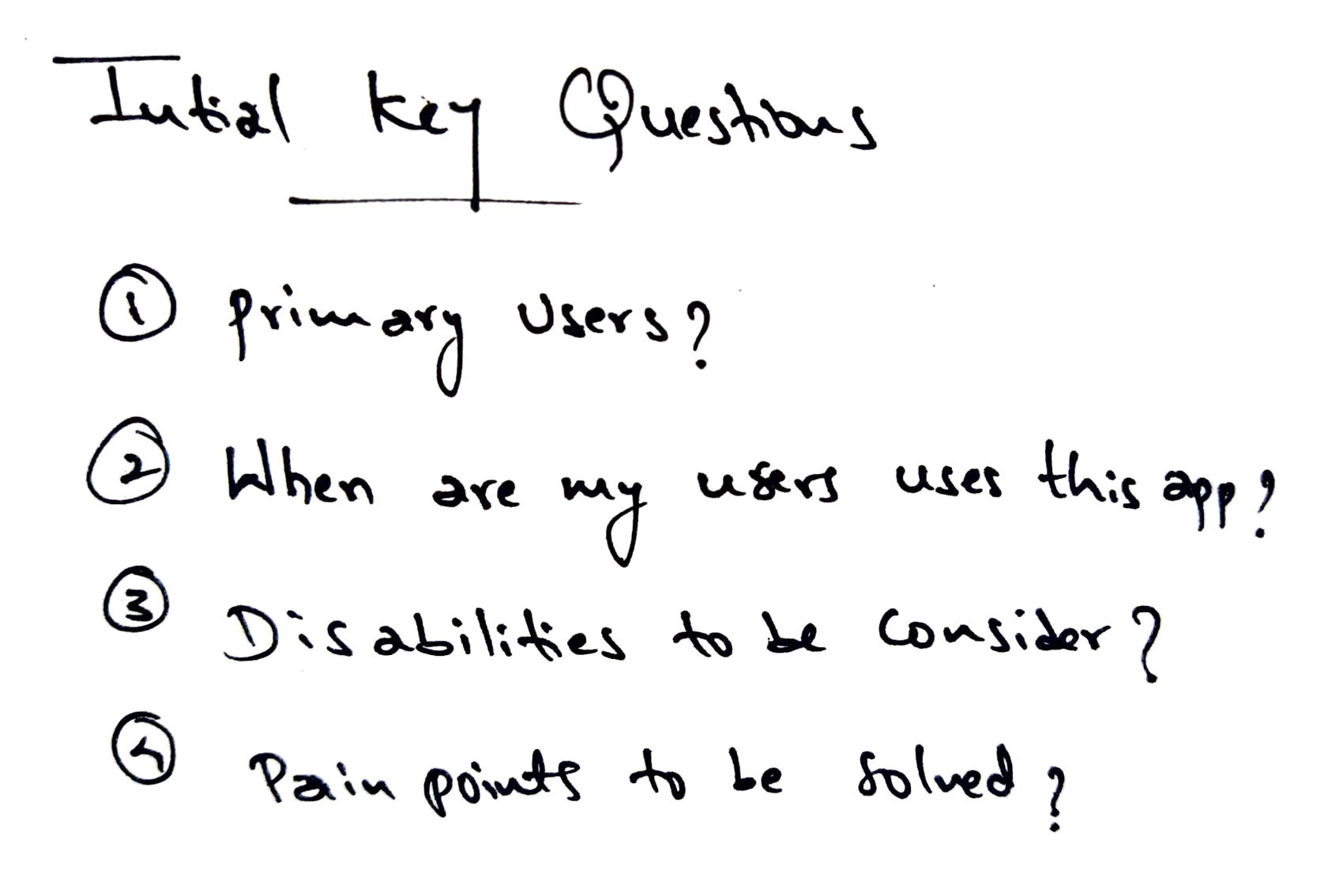
Starting off, I asked myself a few initial questions. Who is our primary user? Where and When are my users accessing the product? What are the pain points I'm trying to solve? How are users reaching thier goals by using the product? Do my user have impairments or disabilities to consider - whether temprory, situational, or permanent?
Starting off, I asked myself a few initial questions. Who is our primary user? Where and When are my users accessing the product? What are the pain points I'm trying to solve? How are users reaching thier goals by using the product? Do my user have impairments or disabilities to consider - whether temprory, situational, or permanent?
Meet the Users
Meet the Users

John Doe (28)
John Doe (28)
Senior Developer
Senior Developer
John Doe works in corporate company and he will be busy most of the time, he wants to order food for himself and his many co-workers which takes long time to wait near hotels so he needs a platform to order the food over his phone and pickup once the order is complete with better delivery.
John Doe works in corporate company and he will be busy most of the time, he wants to order food for himself and his many co-workers which takes long time to wait near hotels so he needs a platform to order the food over his phone and pickup once the order is complete with better delivery.

Millie (30)
Millie (30)
UI/UX Designer
UI/UX Designer
Millie is an UI/UX designer, she generally love to interact with new people for her UX research. She meets several people in a day and discuss about the research with her colleagues. She is in search of an app which allows to order healthy and near to her quickly.
Millie is an UI/UX designer, she generally love to interact with new people for her UX research. She meets several people in a day and discuss about the research with her colleagues. She is in search of an app which allows to order healthy and near to her quickly.
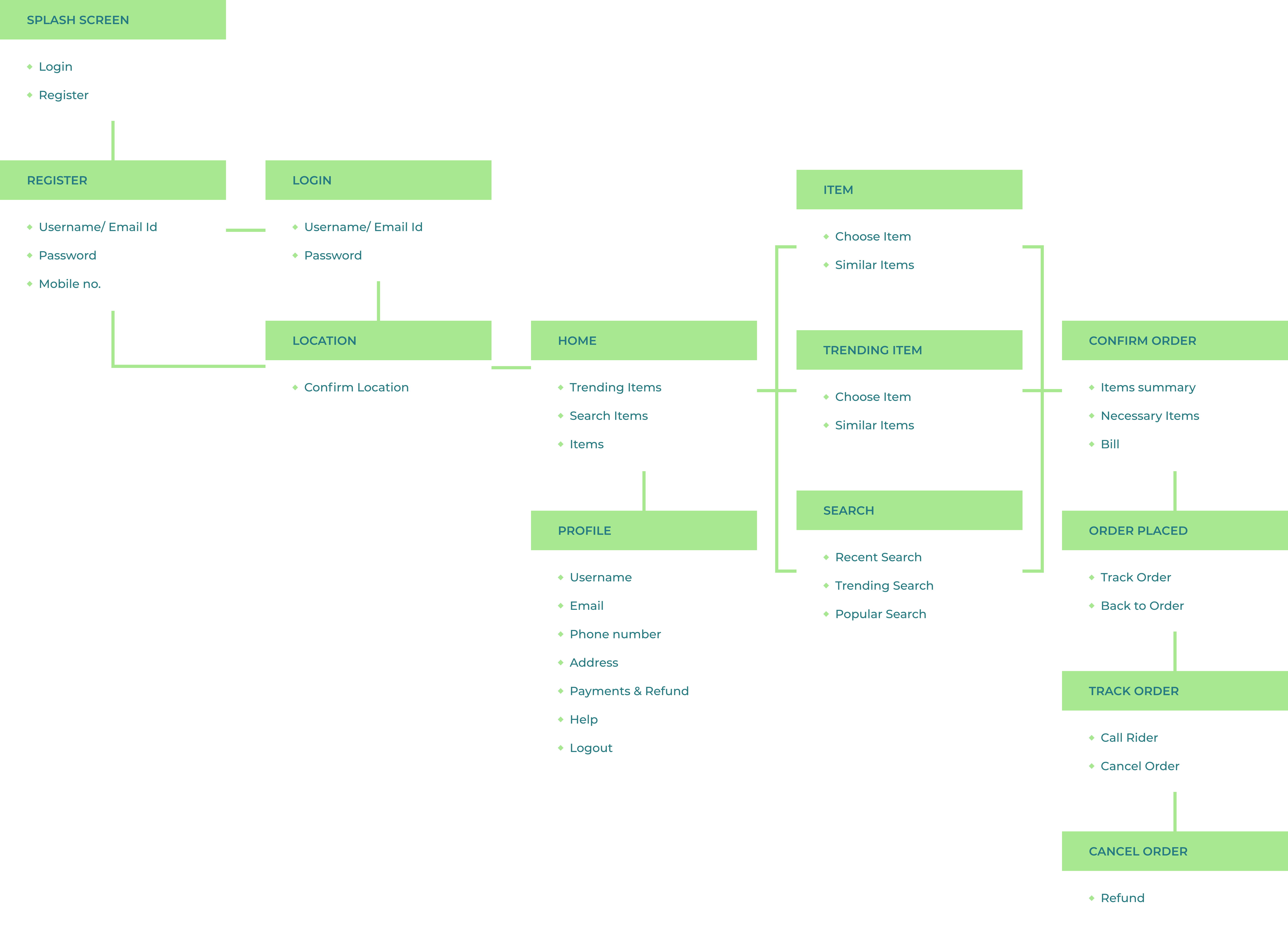
Information Architecture
Information Architecture
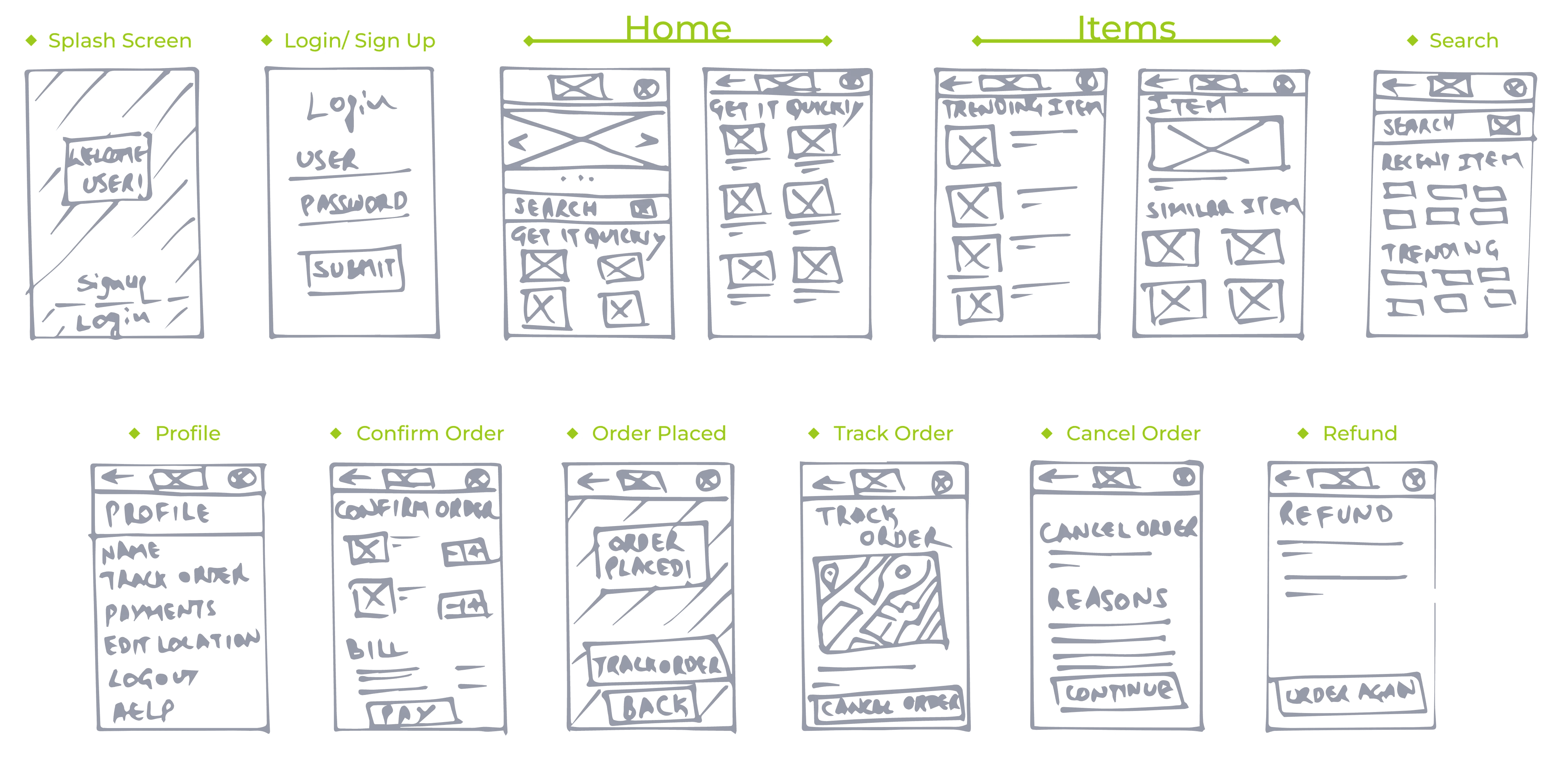
Paper Wireframes
Paper Wireframes
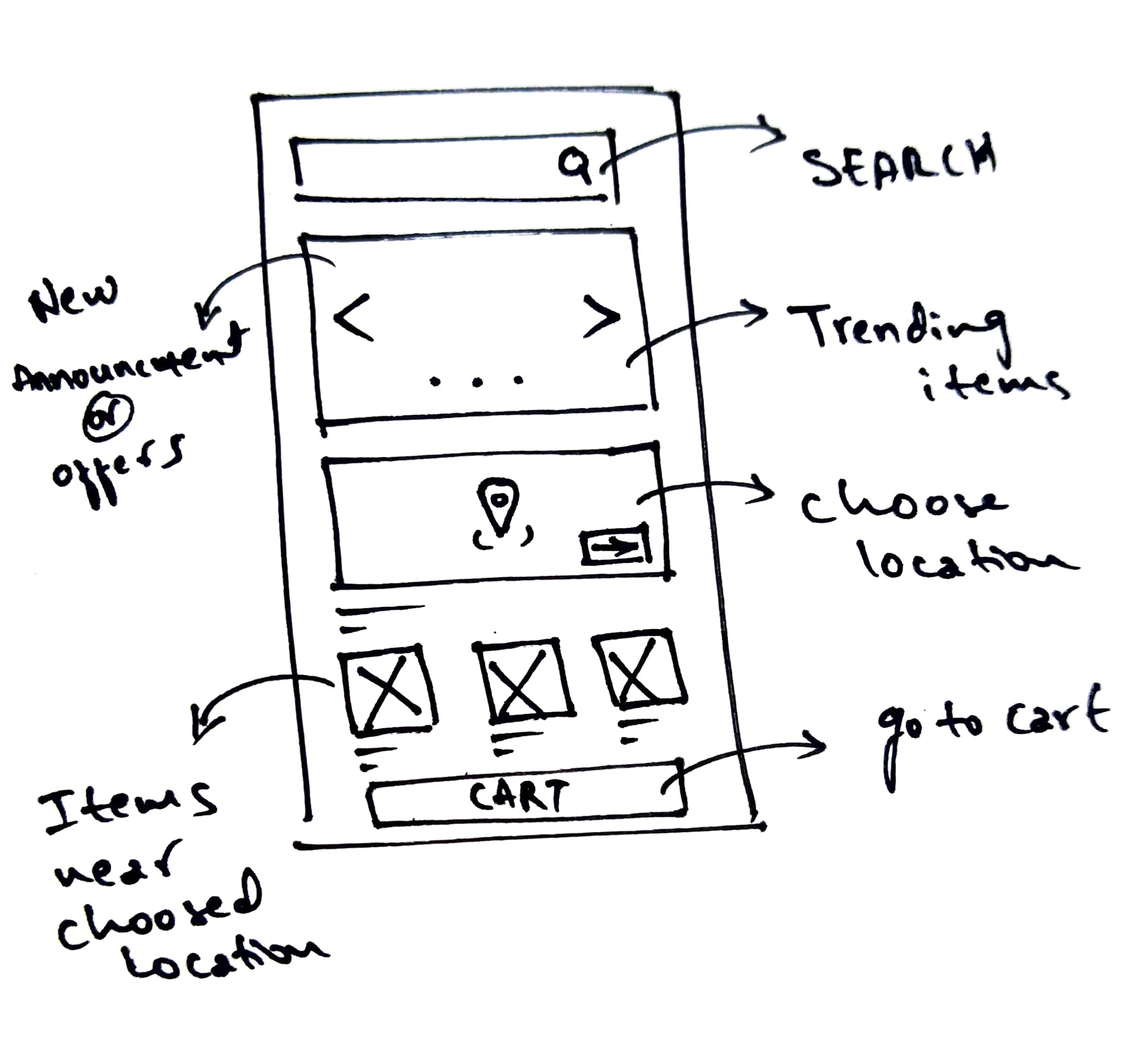
Before moving onto high fidelity wireframes and mocks, I wanted to get a feel for what the core of the app would look like when put in front of me.
Before moving onto high fidelity wireframes and mocks, I wanted to get a feel for what the core of the app would look like when put in front of me.
Wireflow
Wireflow
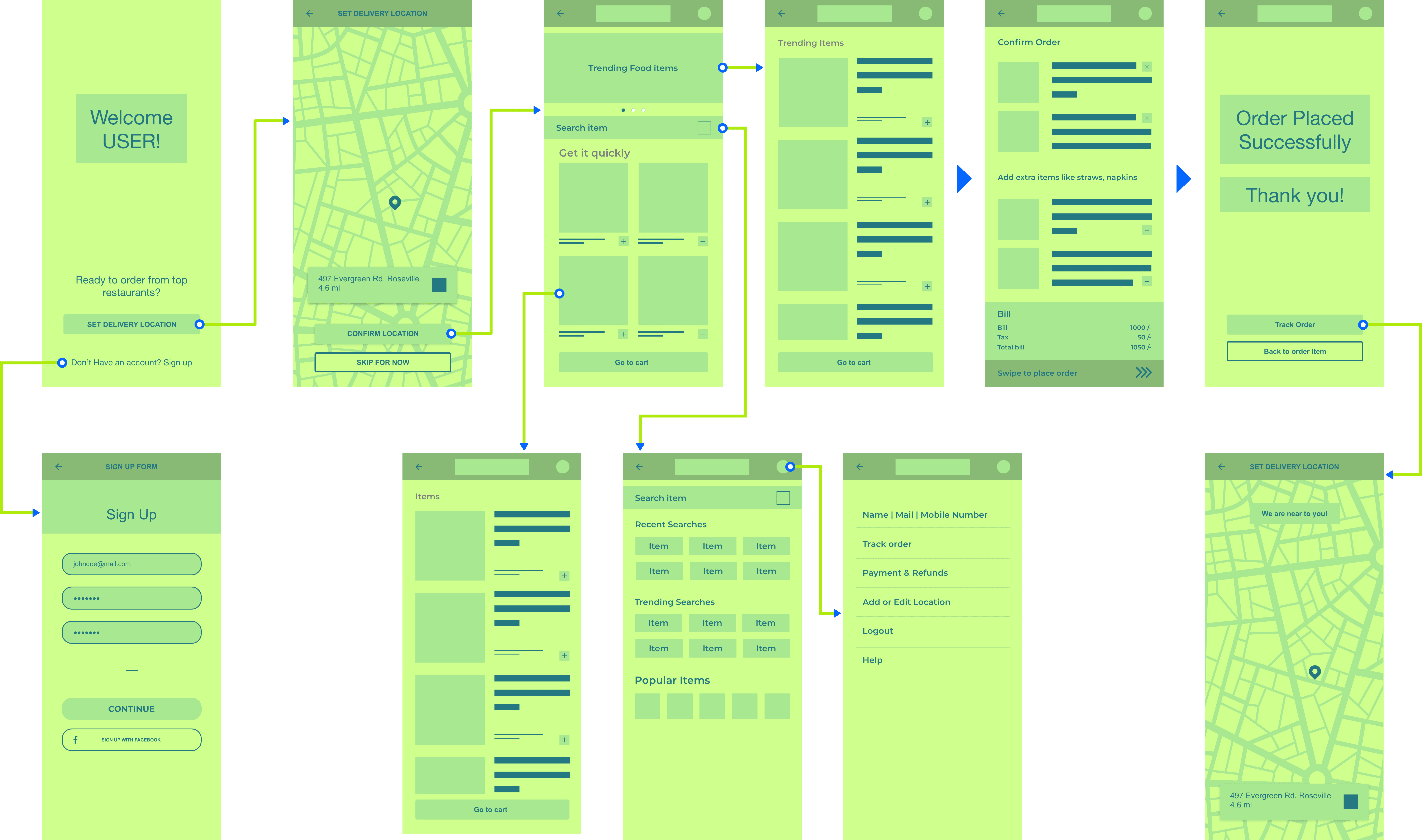
After getting feedback on the paper wireframe, incorporating and making some necessary changes, I have transitioned to digital wireframe and built basic flow taken by a typical user on an app, So they can complete a task from start to finish.
After getting feedback on the paper wireframe, incorporating and making some necessary changes, I have transitioned to digital wireframe and built basic flow taken by a typical user on an app, So they can complete a task from start to finish.
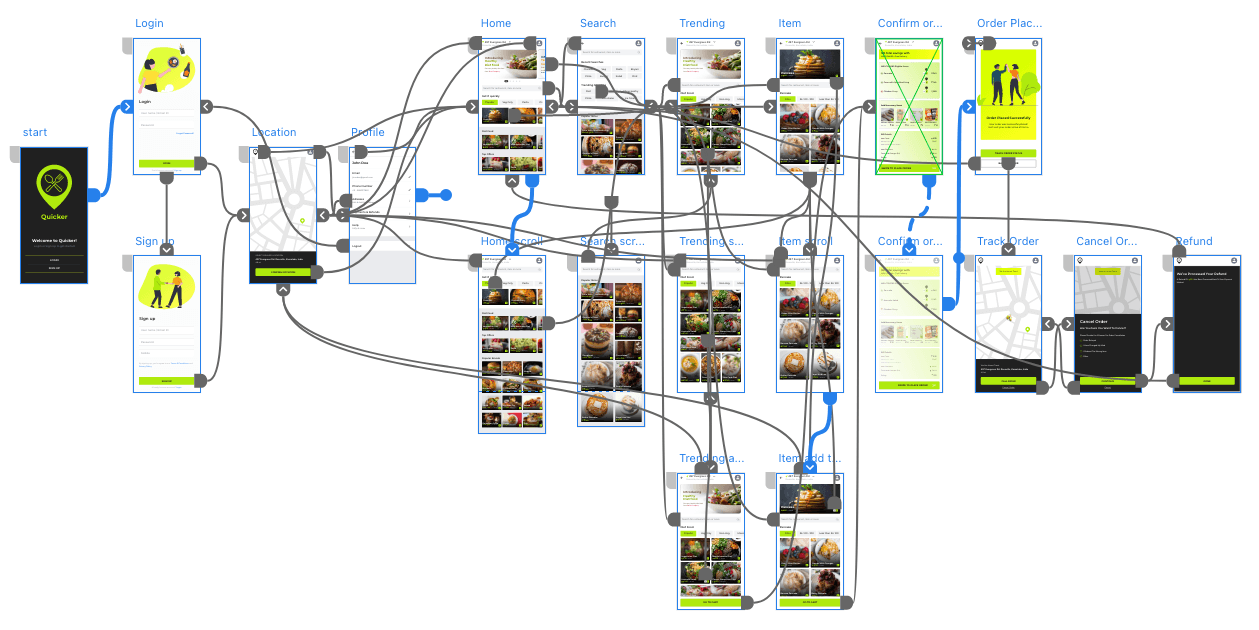
Hi-Fi Prototype
Hi-Fi Prototype
Challenges
Challenges
Challenge 1 - Get Items Quickly
Challenge 1 - Get Items Quickly
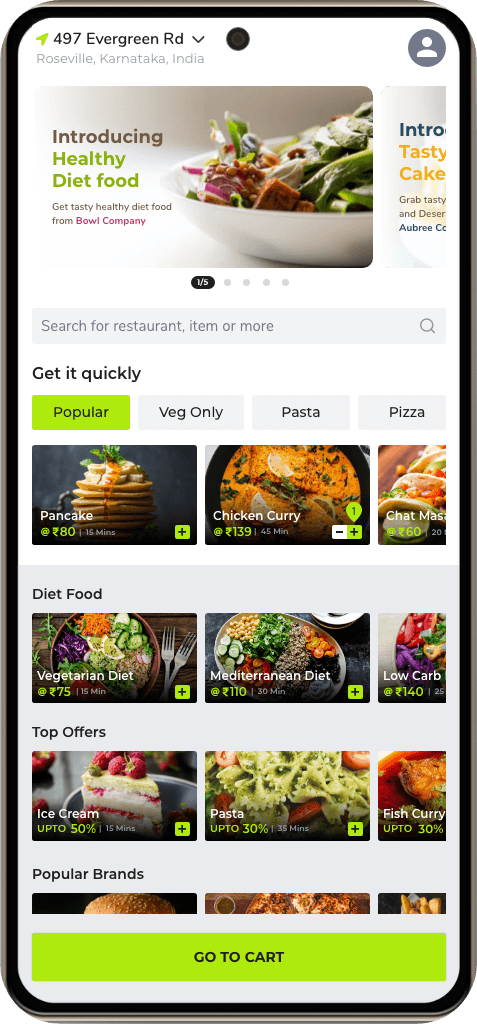
Creating easy-to-use data visuals for busy workers and commuters was a goal that helped drive this project as far as it did. A lot of the time, users don't know what to order, and how much time the order takes and at the same time lot of food item suggestions thrown by the app confuse the user. I solved this issue by creating a separate section to order food which is available near the user's selected location and providing the time takes to deliver the order which helps the user to know how much time will be taken for the delivery and he will get items as soon as possible since the items are near to the user.
Creating easy-to-use data visuals for busy workers and commuters was a goal that helped drive this project as far as it did. A lot of the time, users don't know what to order, and how much time the order takes and at the same time lot of food item suggestions thrown by the app confuse the user. I solved this issue by creating a separate section to order food which is available near the user's selected location and providing the time takes to deliver the order which helps the user to know how much time will be taken for the delivery and he will get items as soon as possible since the items are near to the user.
Challenge 2 - Trending Searches
Challenge 2 - Trending Searches
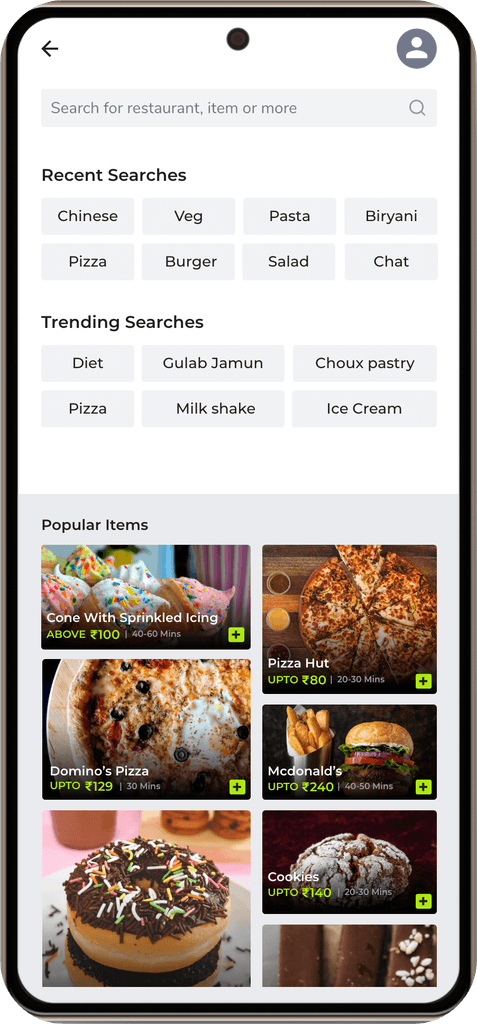
Since this is a food delivery app, the user might order the same items often or sometimes the user wants to explore new food items but the user might not know about the items, in both the cases user has to search and need for explore which takes so much time and may frustrate the user. I solved this issue by showing recently searched items by that user and showing the trending and popular items helps the user to find and explore items easily and quickly.
Since this is a food delivery app, the user might order the same items often or sometimes the user wants to explore new food items but the user might not know about the items, in both the cases user has to search and need for explore which takes so much time and may frustrate the user. I solved this issue by showing recently searched items by that user and showing the trending and popular items helps the user to find and explore items easily and quickly.
Challenge 3 - Filter the Items
Challenge 3 - Filter the Items
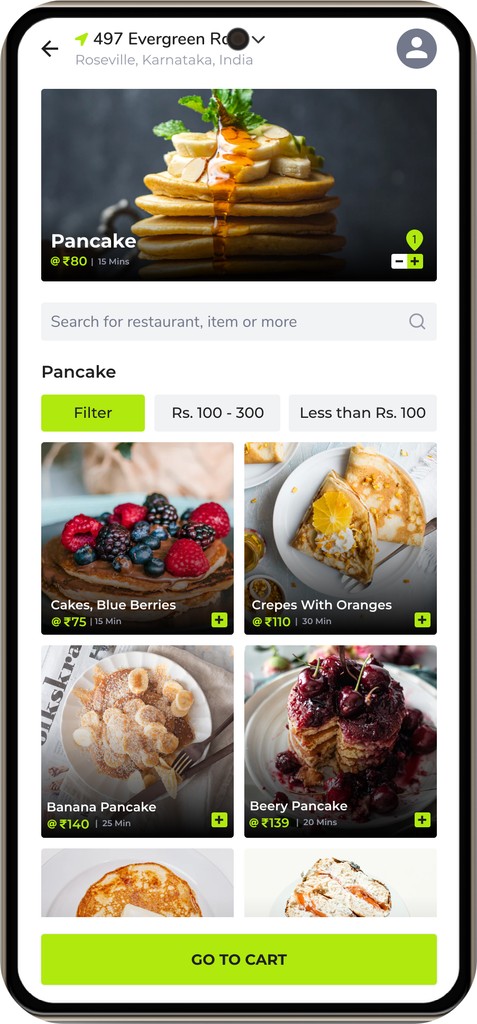
Since Quickery connects many restaurants where that provide lot variety of food items for the user which may help the user to explore new items but since a lot of varieties may also confuse the user in choosing the items, I solved this issue by creating a separate page for the chosen type of food, where they can see similar items only and they can even filter the items further like filter by price range, time taken for delivery etc. to make the exact choice.
Since Quickery connects many restaurants where that provide lot variety of food items for the user which may help the user to explore new items but since a lot of varieties may also confuse the user in choosing the items, I solved this issue by creating a separate page for the chosen type of food, where they can see similar items only and they can even filter the items further like filter by price range, time taken for delivery etc. to make the exact choice.
Challenge 4 - Categorises the Items
Challenge 4 - Categorises the Items
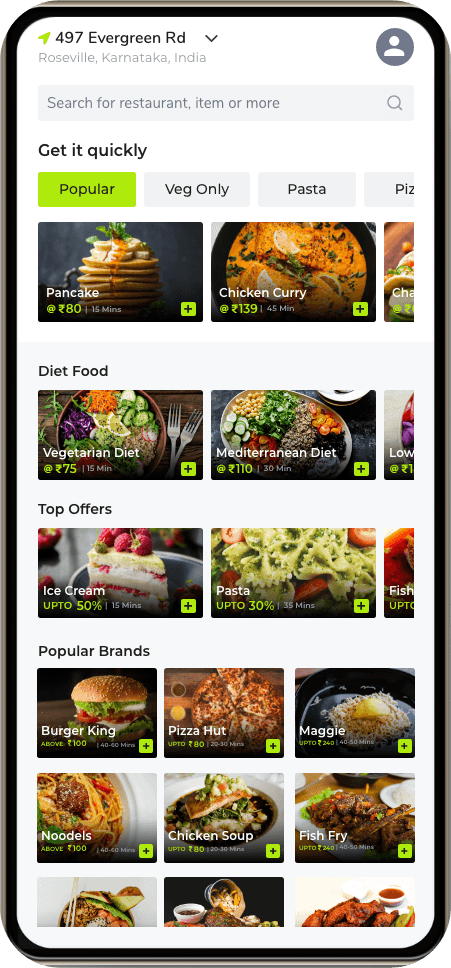
In quickery app, I have categorised the food items based on the time taken for delivery, based on the type of diet, based on top offers, popular brands etc. which will help users to find the food items easily and quickly.
In quickery app, I have categorised the food items based on the time taken for delivery, based on the type of diet, based on top offers, popular brands etc. which will help users to find the food items easily and quickly.
Style Guide
Style Guide
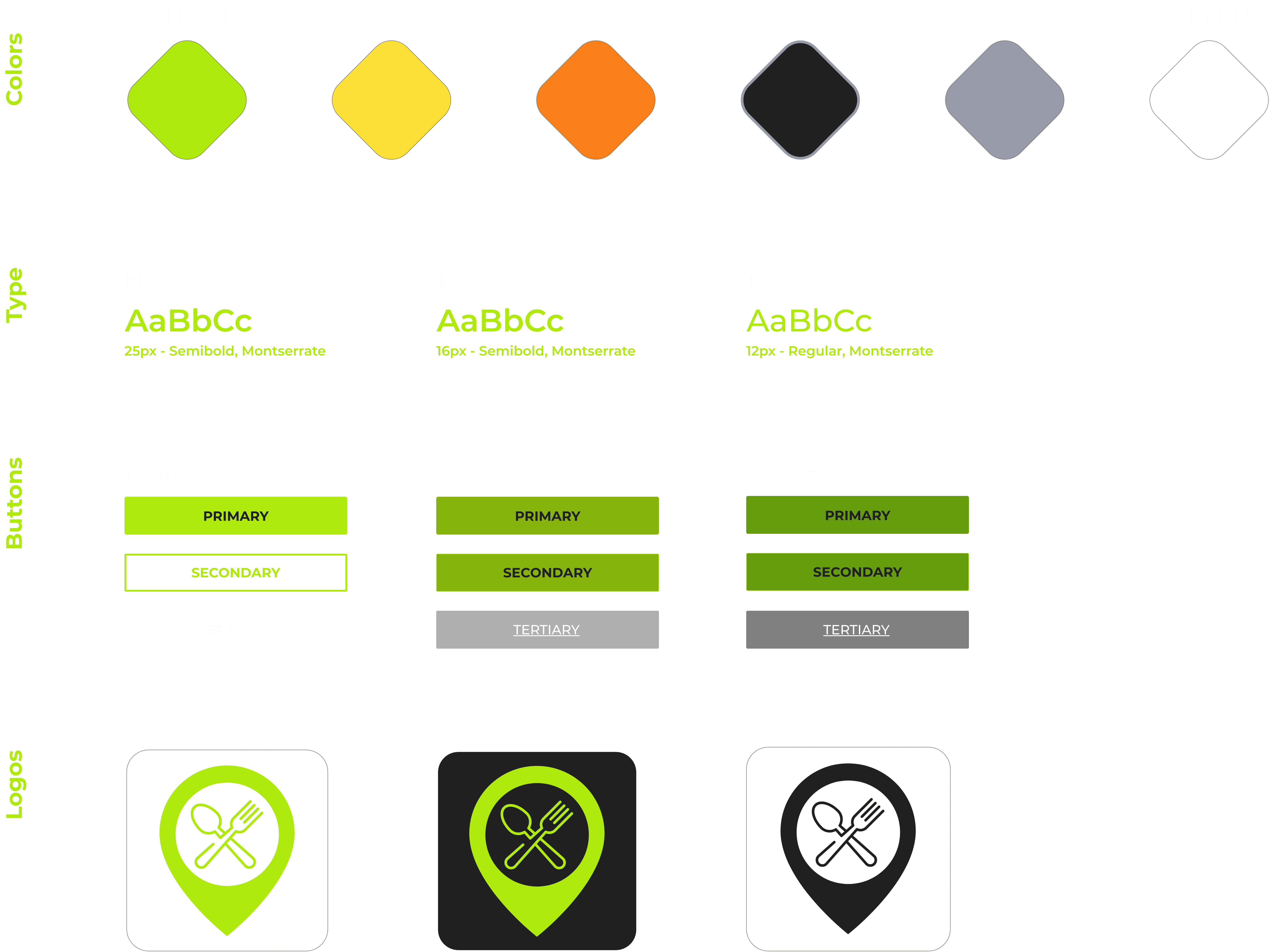
Utilizing a soft chartreuse felt like the perfect fit for In Quickery's branding, the chartreuse colour helps evoke enthusiasm, Users will feel happiness, nature, and youthful feelings. And paired with the Black which makes users feel traditional and more formal. The main typeface of choice for the app is Montseratte. I felt this typface would best fit the app due to its extreme versatility through uppercase and lowercase styling, as well as dark and light text fills.
Utilizing a soft chartreuse felt like the perfect fit for In Quickery's branding, the chartreuse colour helps evoke enthusiasm, Users will feel happiness, nature, and youthful feelings. And paired with the Black which makes users feel traditional and more formal. The main typeface of choice for the app is Montseratte. I felt this typface would best fit the app due to its extreme versatility through uppercase and lowercase styling, as well as dark and light text fills.
Takeaways
Takeaways
Being a foodie myself, working on quickery was incredibly rewarding. I got to experiment with some of the new Adobe XD features, and narrow down my design process. Although I was not able to fully flesh out other features and designs I wanted to within Quickery due to time constraints, it's not to say I won't try to incorporate them in future projects down the line.
Being a foodie myself, working on quickery was incredibly rewarding. I got to experiment with some of the new Adobe XD features, and narrow down my design process. Although I was not able to fully flesh out other features and designs I wanted to within Quickery due to time constraints, it's not to say I won't try to incorporate them in future projects down the line.