Understanding User Problems
Understanding User Problems
A glimpse into my approach to identifying user pain points and and turning them into opportunities for intuitive and impactful designs.
A glimpse into my approach to identifying user pain points and and turning them into opportunities for intuitive and impactful designs.
In every project I take up,
In every project I take up,
I start by gaining a deep understanding of the user’s problems. Understanding user needs is crucial because it allows me to move beyond assumptions and create designs that solve real-world challenges. By identifying the root causes of pain points, I can ensure the solutions I design are not just functional but also meaningful, making the user experience smoother and more effective.
I start by gaining a deep understanding of the user’s problems. Understanding user needs is crucial because it allows me to move beyond assumptions and create designs that solve real-world challenges. By identifying the root causes of pain points, I can ensure the solutions I design are not just functional but also meaningful, making the user experience smoother and more effective.

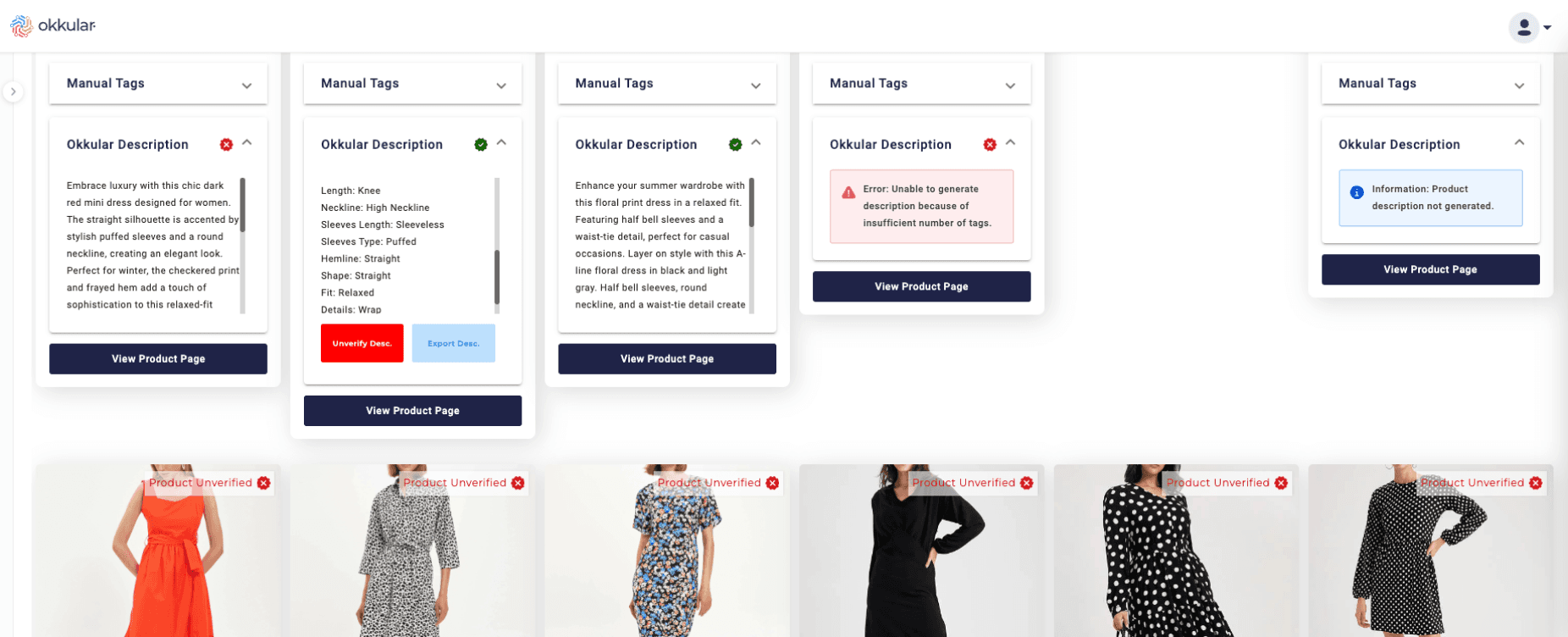
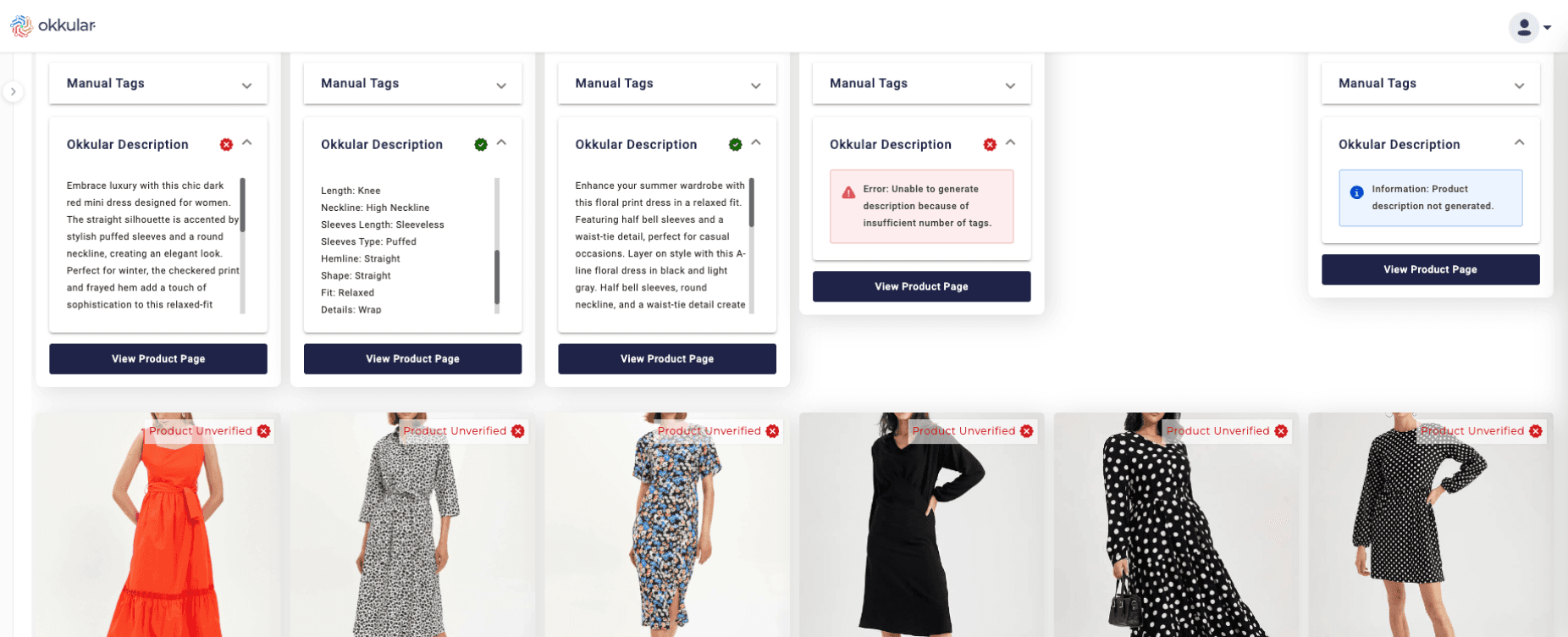
Let me take you through a few projects to show how I approached understanding user problems based on the unique requirements of each.
Let me take you through a few projects to show how I approached understanding user problems based on the unique requirements of each.
How did I identify user problems?
How did I identify user problems?
What was my approach to identifying user problems in my previous projects?
What was my approach to identifying user problems in my previous projects?
In my past work, I’ve had the opportunity to tackle projects where understanding user problems was key. Each project came with its own unique challenges, so I adapted my approach to fit the specific needs. Let me walk you through some examples from my recent projects to show how I tailored my process for each one.
In my past work, I’ve had the opportunity to tackle projects where understanding user problems was key. Each project came with its own unique challenges, so I adapted my approach to fit the specific needs. Let me walk you through some examples from my recent projects to show how I tailored my process for each one.
Project: Okkular web app
Project: Okkular web app
When I started working in Okkular, the web app was a simple tool designed to generate product tags by analyzing images that retailers uploaded. Over time, it expanded to include several new features:
When I started working in Okkular, the web app was a simple tool designed to generate product tags by analyzing images that retailers uploaded. Over time, it expanded to include several new features:
Description Generation: Using tags to create detailed, context-aware product descriptions.
Description Generation: Using tags to create detailed, context-aware product descriptions.
Visual Search: Enabling users to find visually similar products from the retailer's inventory.
Visual Search: Enabling users to find visually similar products from the retailer's inventory.
Shop the Look: Helping shoppers discover every product in a complete outfit.
Shop the Look: Helping shoppers discover every product in a complete outfit.
What problems did users face with these new changes?
What problems did users face with these new changes?
While each of these features worked well on its own, the app's design wasn’t scaling with the changes. It was still based on the original structure, which was only optimized for generating product tags.
While each of these features worked well on its own, the app's design wasn’t scaling with the changes. It was still based on the original structure, which was only optimized for generating product tags.
How did I identify these problems?
How did I identify these problems?
To understand where users were struggling, I broke down the experience step by step:
To understand where users were struggling, I broke down the experience step by step:
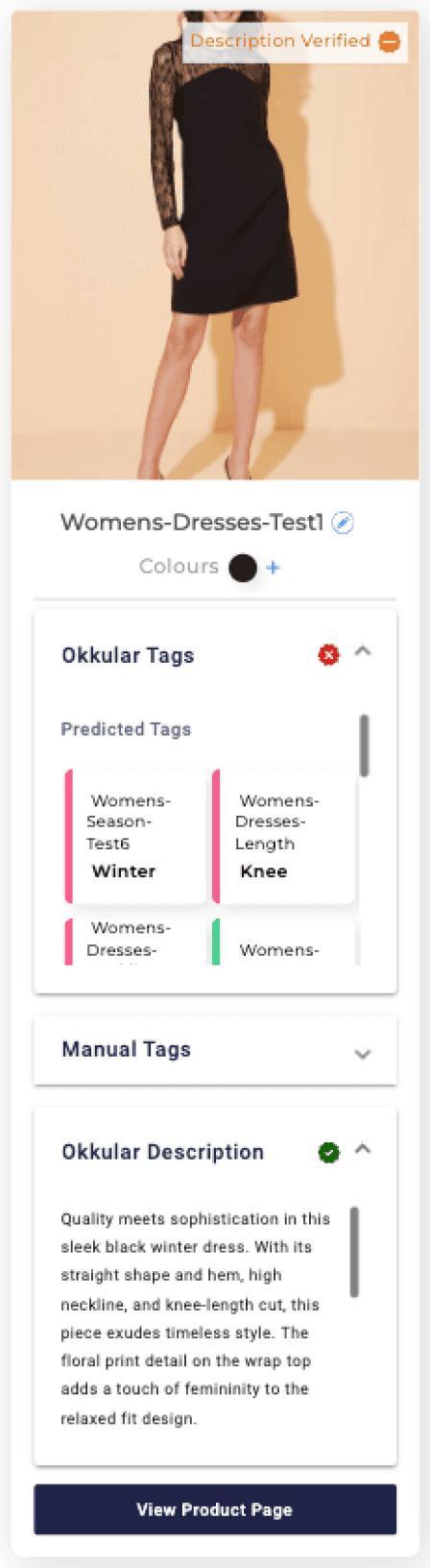
Inconsistent Design: Users reported confusion due to outdated and inconsistent UI elements across the app.
Inconsistent Design: Users reported confusion due to outdated and inconsistent UI elements across the app.
Navigation Challenges: The new features didn’t integrate smoothly, making it hard to move between them.
Navigation Challenges: The new features didn’t integrate smoothly, making it hard to move between them.
Scalability Issues: Retailers found the app cluttered and difficult to navigate as it tried to support multiple tools.
Scalability Issues: Retailers found the app cluttered and difficult to navigate as it tried to support multiple tools.
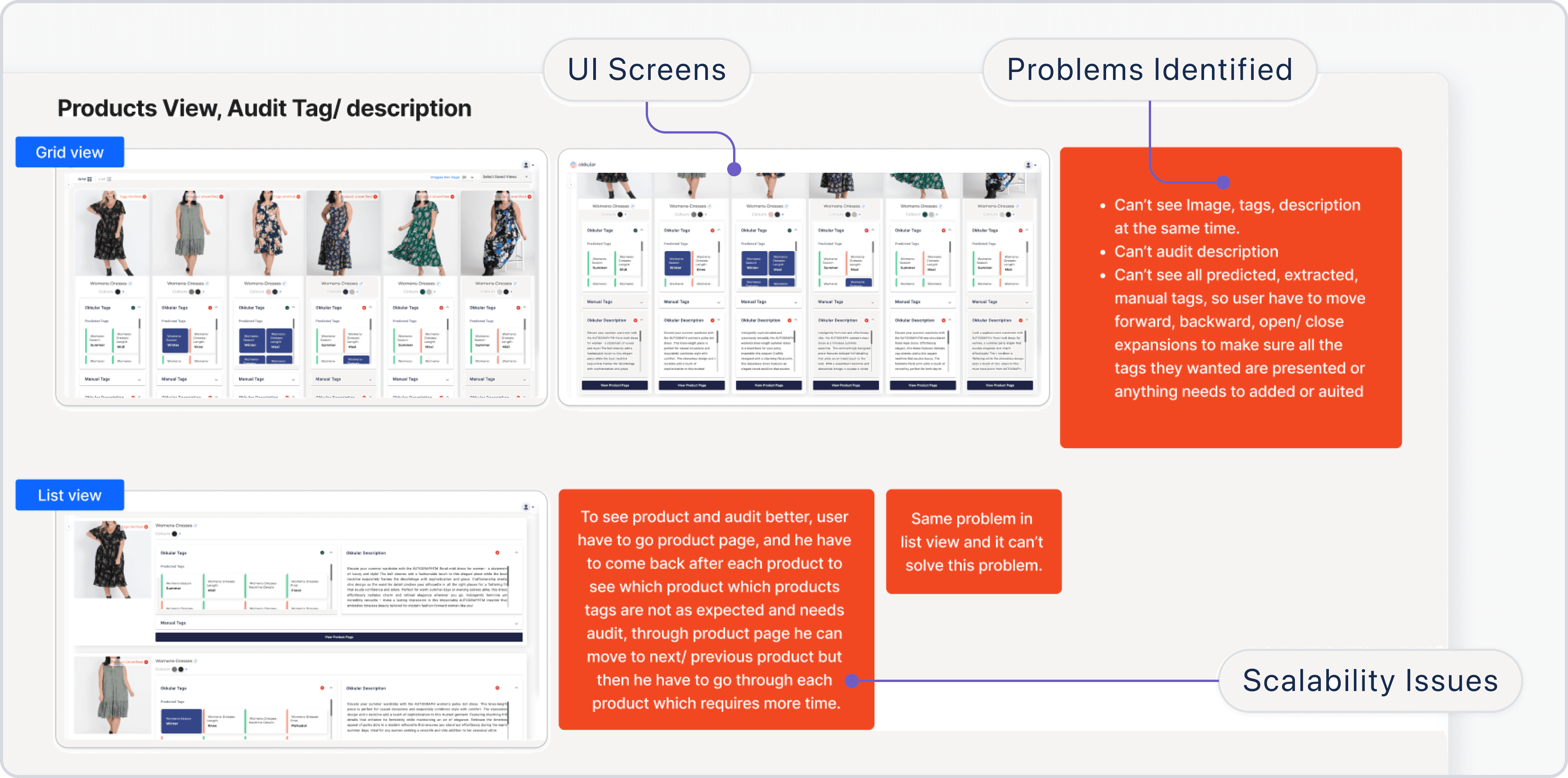
Issues with user effort requiring extra clicks for simple tasks, leading to poor user experience
Issues with user effort requiring extra clicks for simple tasks, leading to poor user experience
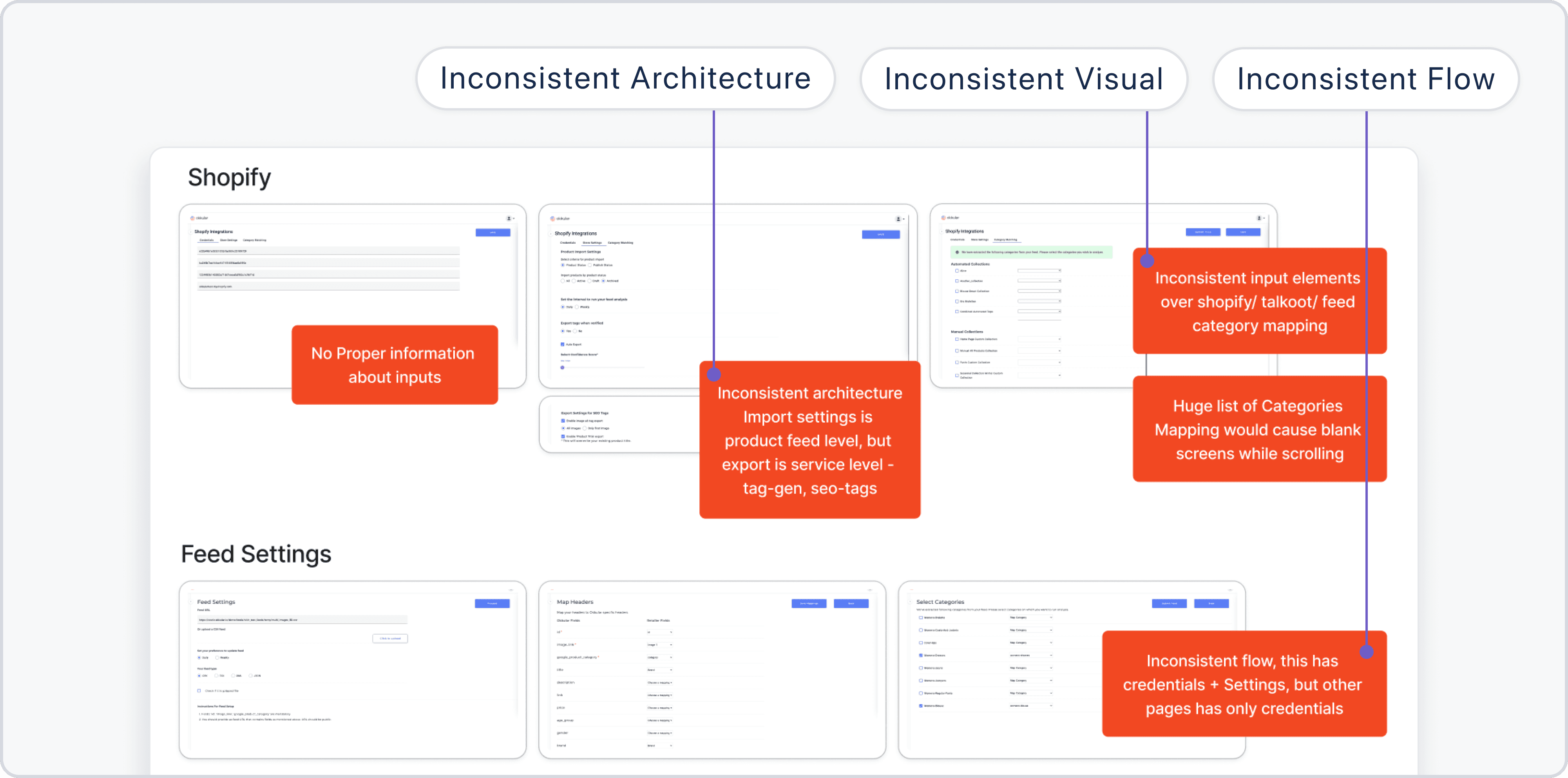
Inconsistencies in architecture, visuals, and flows across the app
Inconsistencies in architecture, visuals, and flows across the app
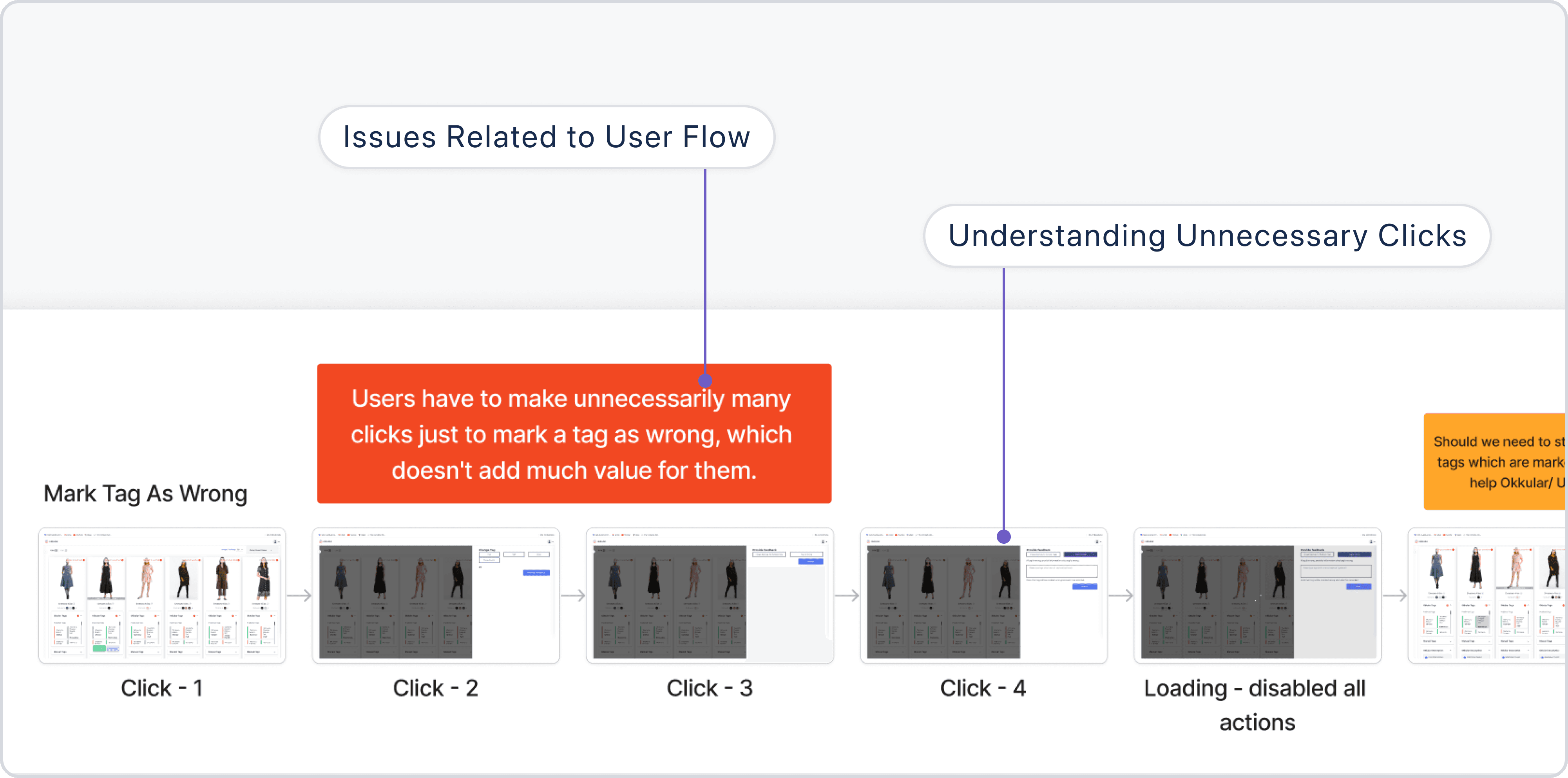
Inefficient user flows causing unnecessary clicks for basic actions
Inefficient user flows causing unnecessary clicks for basic actions
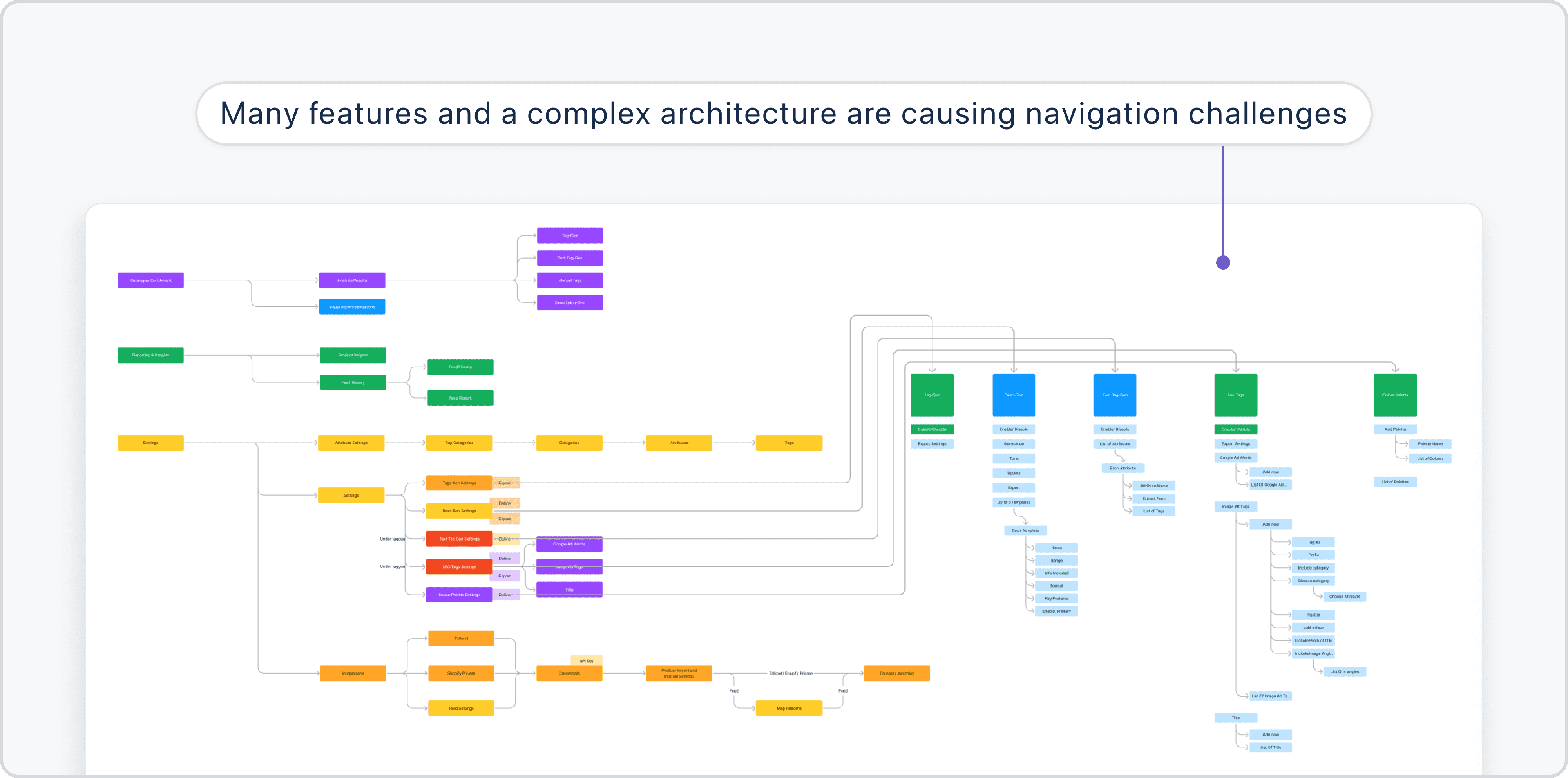
Complex architecture resulting in navigational challenges
Complex architecture resulting in navigational challenges
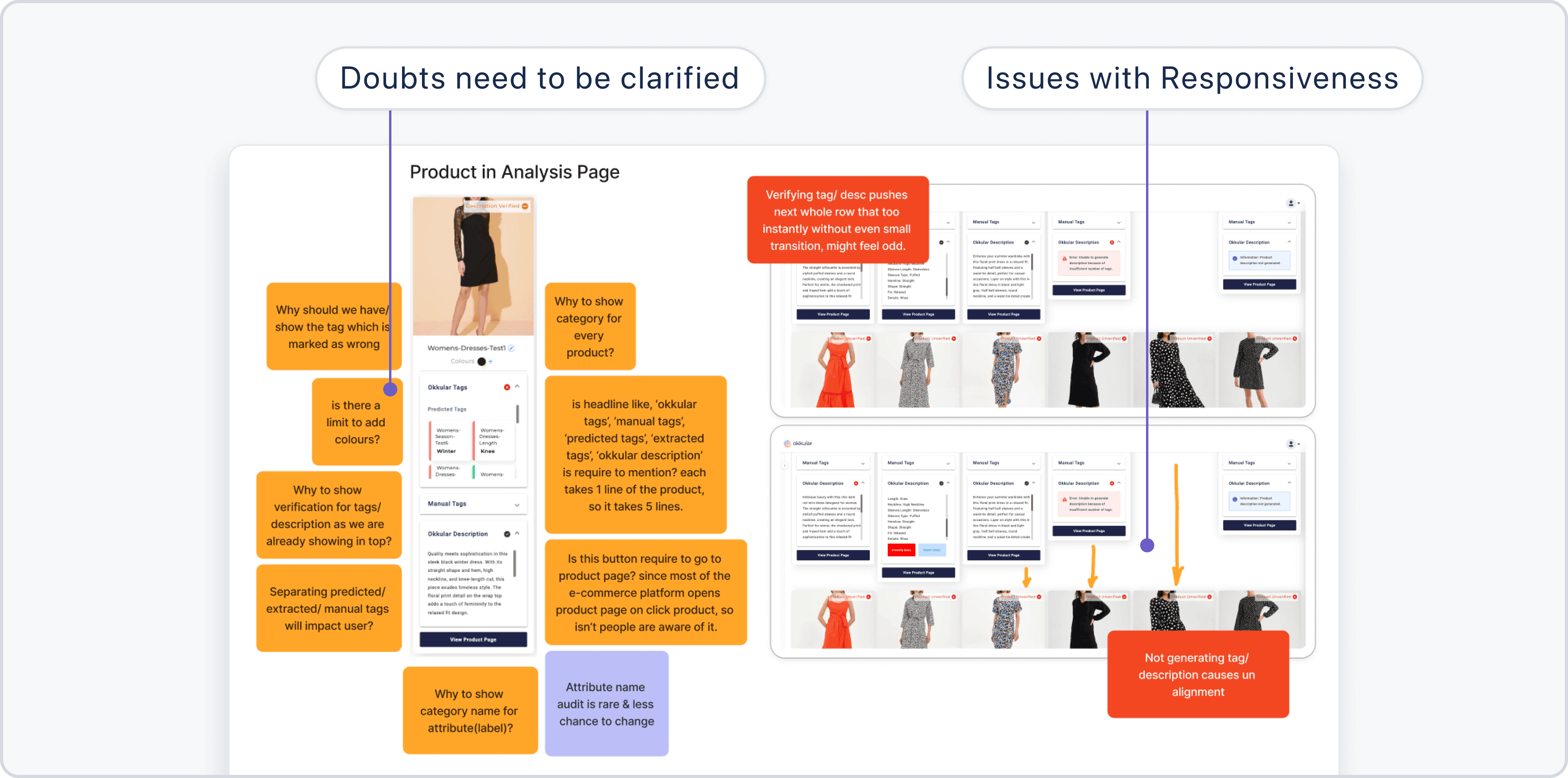
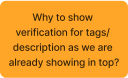
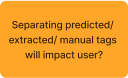
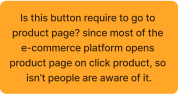
Documenting issues and noting down key doubts for further clarity
Documenting issues and noting down key doubts for further clarity
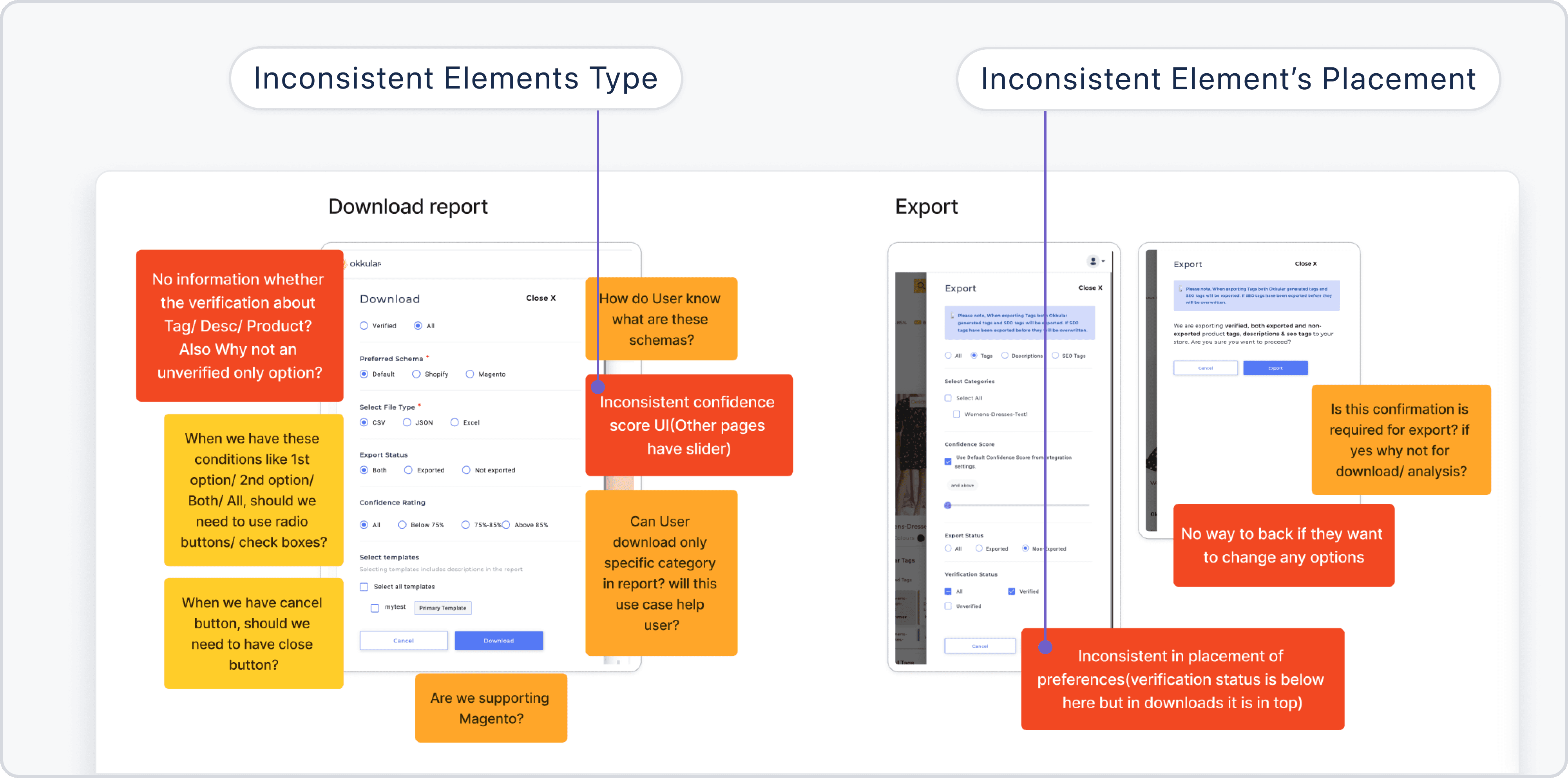
Problems with UI elements and their placement affecting usability
Problems with UI elements and their placement affecting usability
How did I validate these user problems?
How did I validate these user problems?
How did I find issues related to navigation and user flows?
How did I find issues related to navigation and user flows?
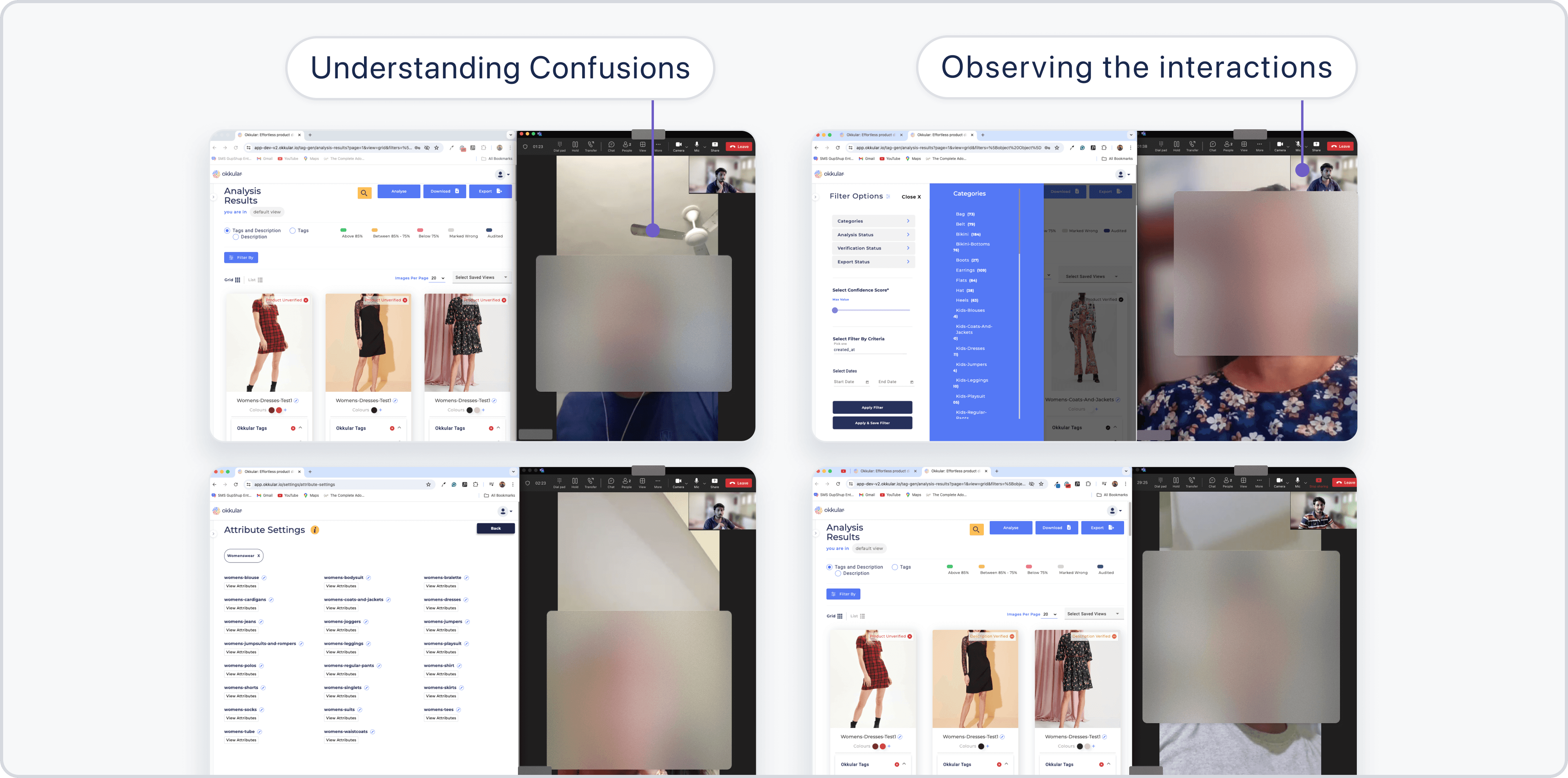
I conducted usability tests with clients to observe where they are facing issues and confusion while interacting with the platform. These tests gave me first-hand insights into challenges related to navigation, layout, and workflows.
I conducted usability tests with clients to observe where they are facing issues and confusion while interacting with the platform. These tests gave me first-hand insights into challenges related to navigation, layout, and workflows.
How did I collect user feedback remotely?
How did I collect user feedback remotely?
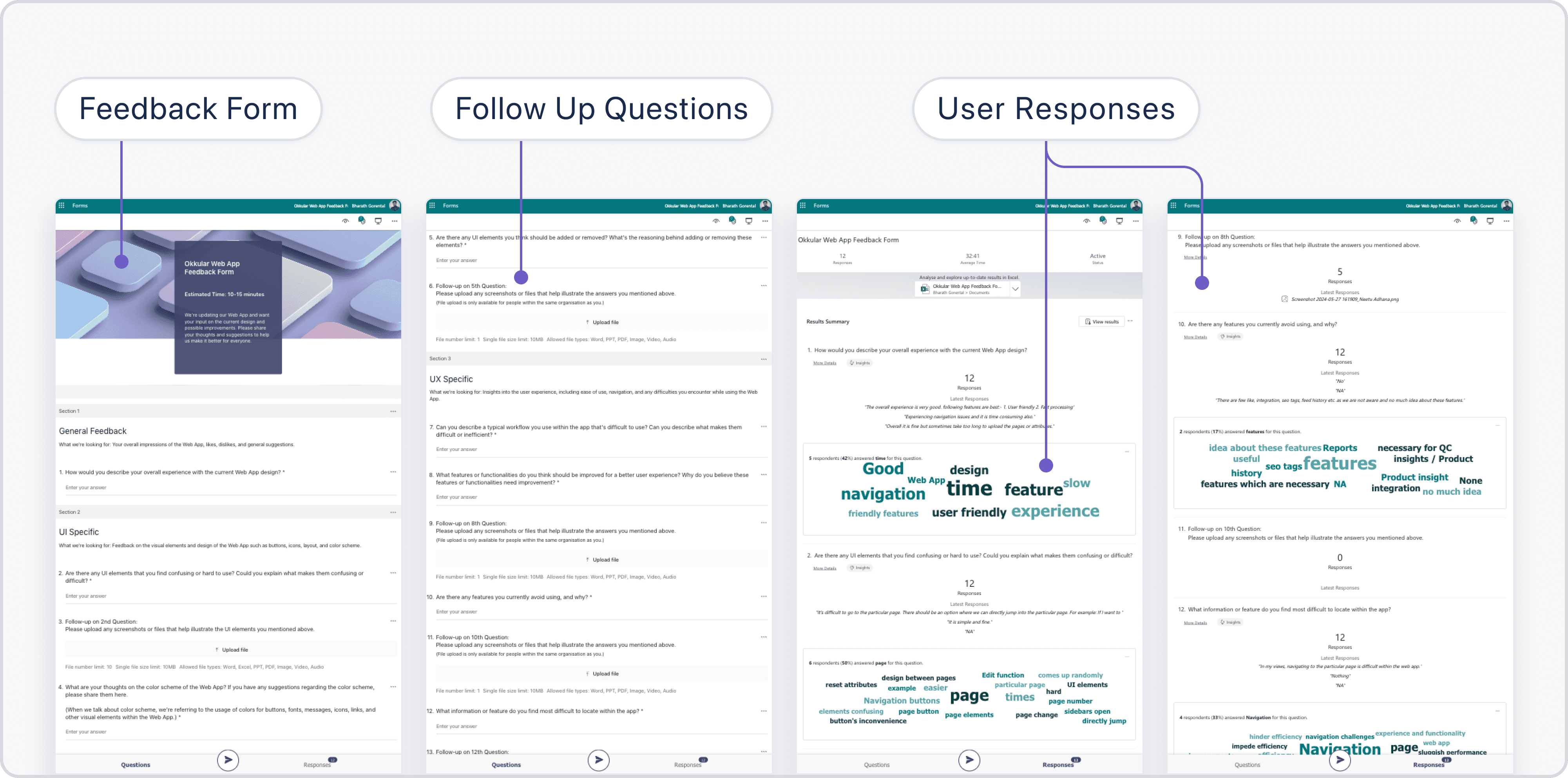
Since Okkular was a B2B company, meeting clients directly wasn’t always feasible. To address this, I created detailed feedback forms with open-ended questions to understand their experiences. Follow-up questions clarified their responses, helping us capture their expectations thoroughly.
Since Okkular was a B2B company, meeting clients directly wasn’t always feasible. To address this, I created detailed feedback forms with open-ended questions to understand their experiences. Follow-up questions clarified their responses, helping us capture their expectations thoroughly.
How did I identify usability gaps in the interface?
How did I identify usability gaps in the interface?
I performed a heuristic evaluation of the interface to uncover usability issues such as inconsistencies, clutter, and unclear flows.
I performed a heuristic evaluation of the interface to uncover usability issues such as inconsistencies, clutter, and unclear flows.
What steps did I take after identifying the issues?
What steps did I take after identifying the issues?
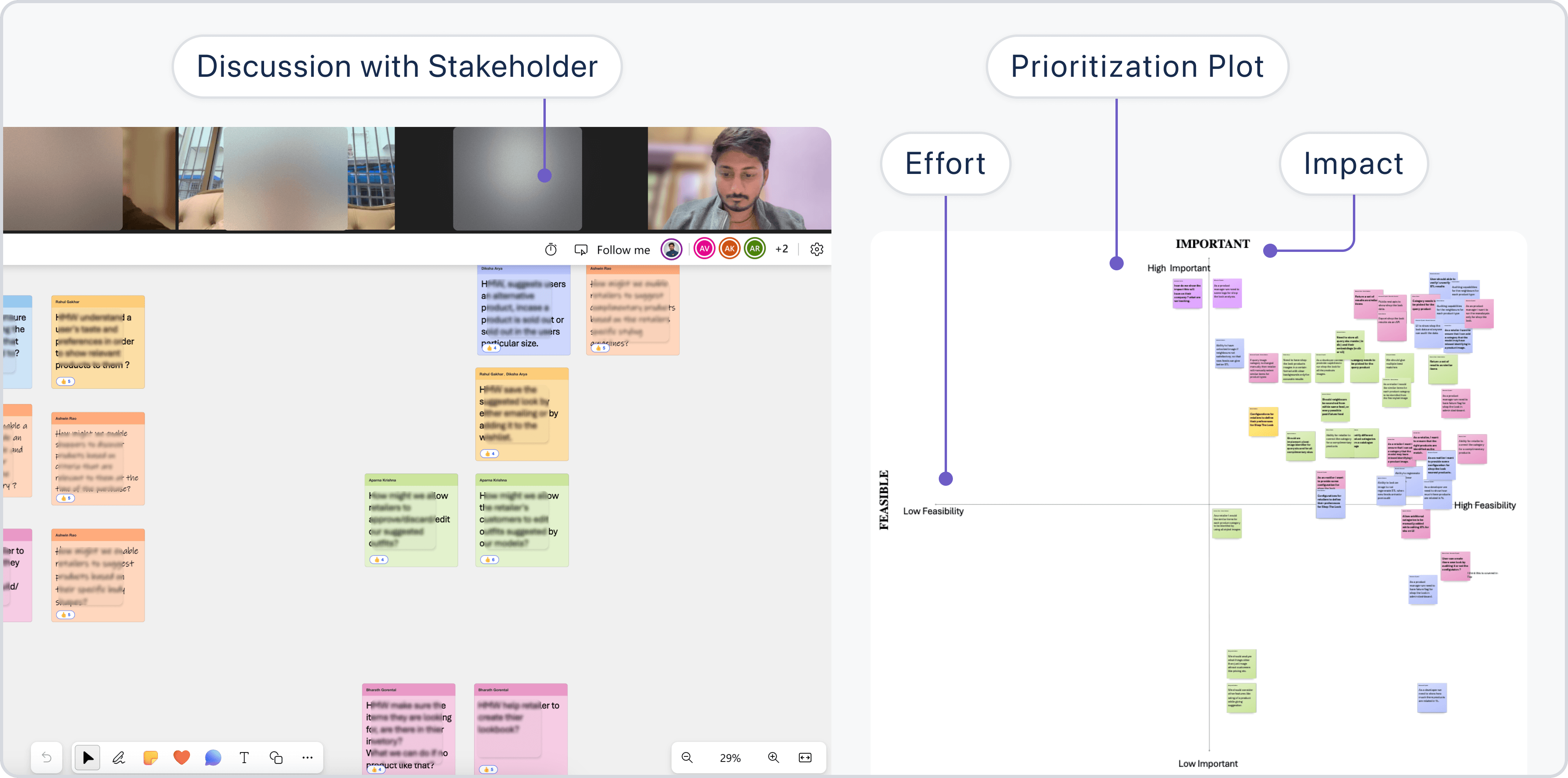
Once I gathered all the data from usability testing, feedback forms, and heuristic evaluation, the next step was to prioritize the fixes. By assessing each issue based on its impact on user experience and the effort required to address it, I focused on making high-impact with low effort changes first.
Once I gathered all the data from usability testing, feedback forms, and heuristic evaluation, the next step was to prioritize the fixes. By assessing each issue based on its impact on user experience and the effort required to address it, I focused on making high-impact with low effort changes first.
What impact did I anticipate from the redesign?
What impact did I anticipate from the redesign?
I expected the redesigned web app to significantly improve user satisfaction and retention rates. Clearer workflows and better navigation would also reduce support requests, making the platform more intuitive and efficient for users.
I expected the redesigned web app to significantly improve user satisfaction and retention rates. Clearer workflows and better navigation would also reduce support requests, making the platform more intuitive and efficient for users.

But with Okkular dashboard, the situation was a bit different.
But with Okkular dashboard, the situation was a bit different.
Project: Okkular Dashboard
Project: Okkular Dashboard
The okkular dashboard was another challenge I worked on. This was an internal tool for our team to manage retailer accounts and subscriptions, and integrations. Previously, processes were highly manual, involving multiple teams and significant time investment.
When I started working on the admin dashboard, the first step was to understand the daily struggles of admins. This wasn’t just about making things faster; it was about reducing the frustration caused by outdated, manual processes.
The okkular dashboard was another challenge I worked on. This was an internal tool for our team to manage retailer accounts and subscriptions, and integrations. Previously, processes were highly manual, involving multiple teams and significant time investment.
When I started working on the admin dashboard, the first step was to understand the daily struggles of admins. This wasn’t just about making things faster; it was about reducing the frustration caused by outdated, manual processes.
How did I understand the admin team's pain points?
How did I understand the admin team's pain points?
To get a full picture, I worked closely with stakeholders including admins, product managers, and backend engineers. Here's what I uncovered:
To get a full picture, I worked closely with stakeholders including admins, product managers, and backend engineers. Here's what I uncovered:
Account creation was a challenge:
Account creation was a challenge:
Setting up a new retailer account could take anywhere from 20 to 40 minutes because it involved four different teams: UI, backend, product manager, and admin.
Setting up a new retailer account could take anywhere from 20 to 40 minutes because it involved four different teams: UI, backend, product manager, and admin.
Information retrieval was inefficient:
Information retrieval was inefficient:
If any Admin needed detailed usage data or subscription info, it could easily take 30 mins to an hour of back-and-forth between team members.
If any Admin needed detailed usage data or subscription info, it could easily take 30 mins to an hour of back-and-forth between team members.
Admins lacked control:
Admins lacked control:
Admins couldn’t directly edit account details or manage subscriptions, leading to delays and inefficiencies.
Admins couldn’t directly edit account details or manage subscriptions, leading to delays and inefficiencies.
These pain points weren’t just about time, they were about mental fatigue and the sheer frustration of needing multiple people to handle simple tasks.
These pain points weren’t just about time, they were about mental fatigue and the sheer frustration of needing multiple people to handle simple tasks.
How did understanding user problems shape the solution?
How did understanding user problems shape the solution?
Understanding these challenges helped me to design a centralized centralized dashboard focused on automation and simplicity:
Understanding these challenges helped me to design a centralized centralized dashboard focused on automation and simplicity:
How did I make information easily accessible?
How did I make information easily accessible?
A centralized home page provides overview of all retailers, subscriptions, and usage logs at a glance. Clicking on a retailer displays detailed account information and integration status.
A centralized home page provides overview of all retailers, subscriptions, and usage logs at a glance. Clicking on a retailer displays detailed account information and integration status.
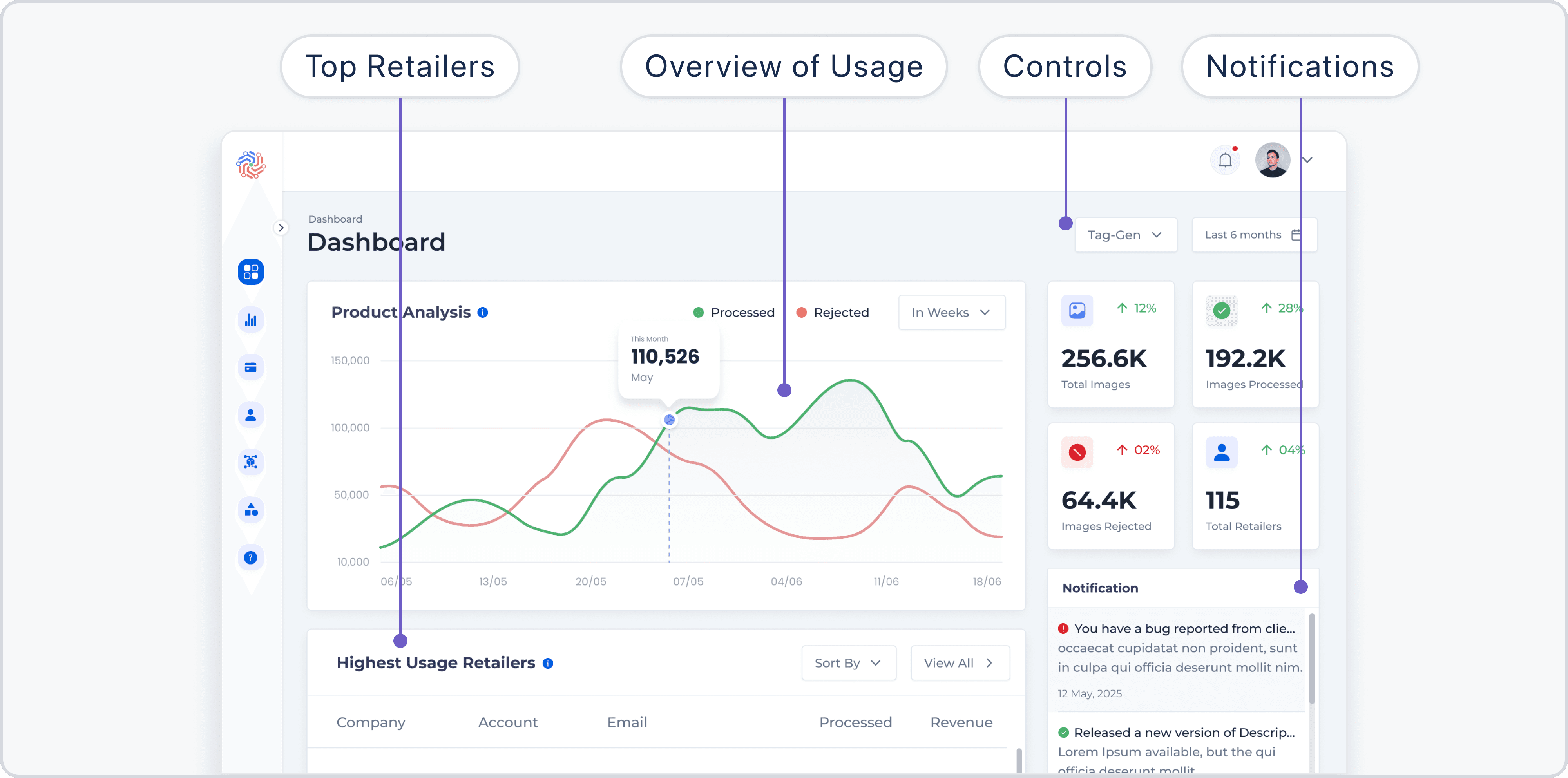
Dashboard providing a complete overview of retailer accounts, subscriptions, and usage logs.
Dashboard providing a complete overview of retailer accounts, subscriptions, and usage logs.
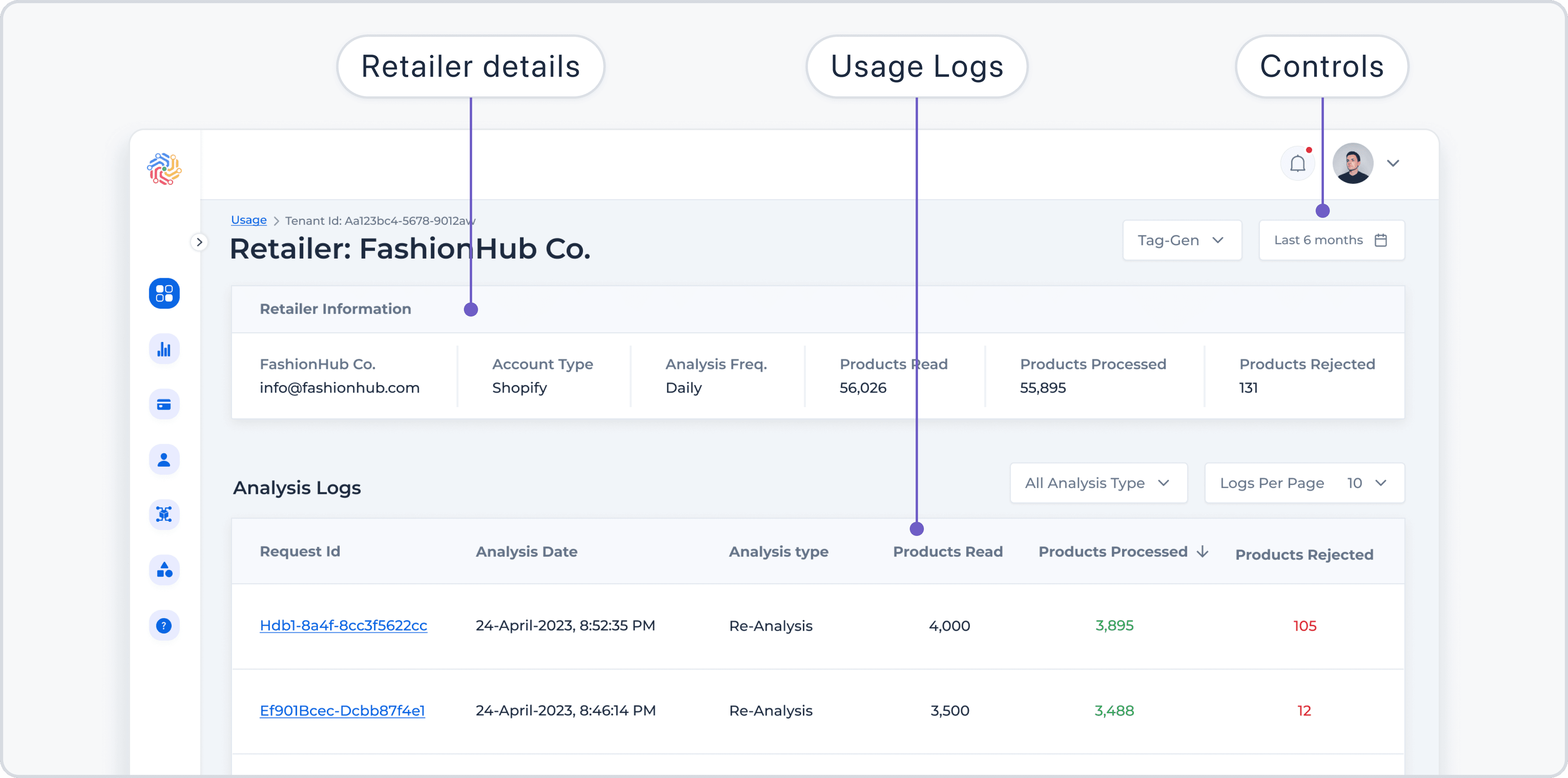
Detailed view of retailer-specific usage data, accessible directly from the dashboard.
Detailed view of retailer-specific usage data, accessible directly from the dashboard.
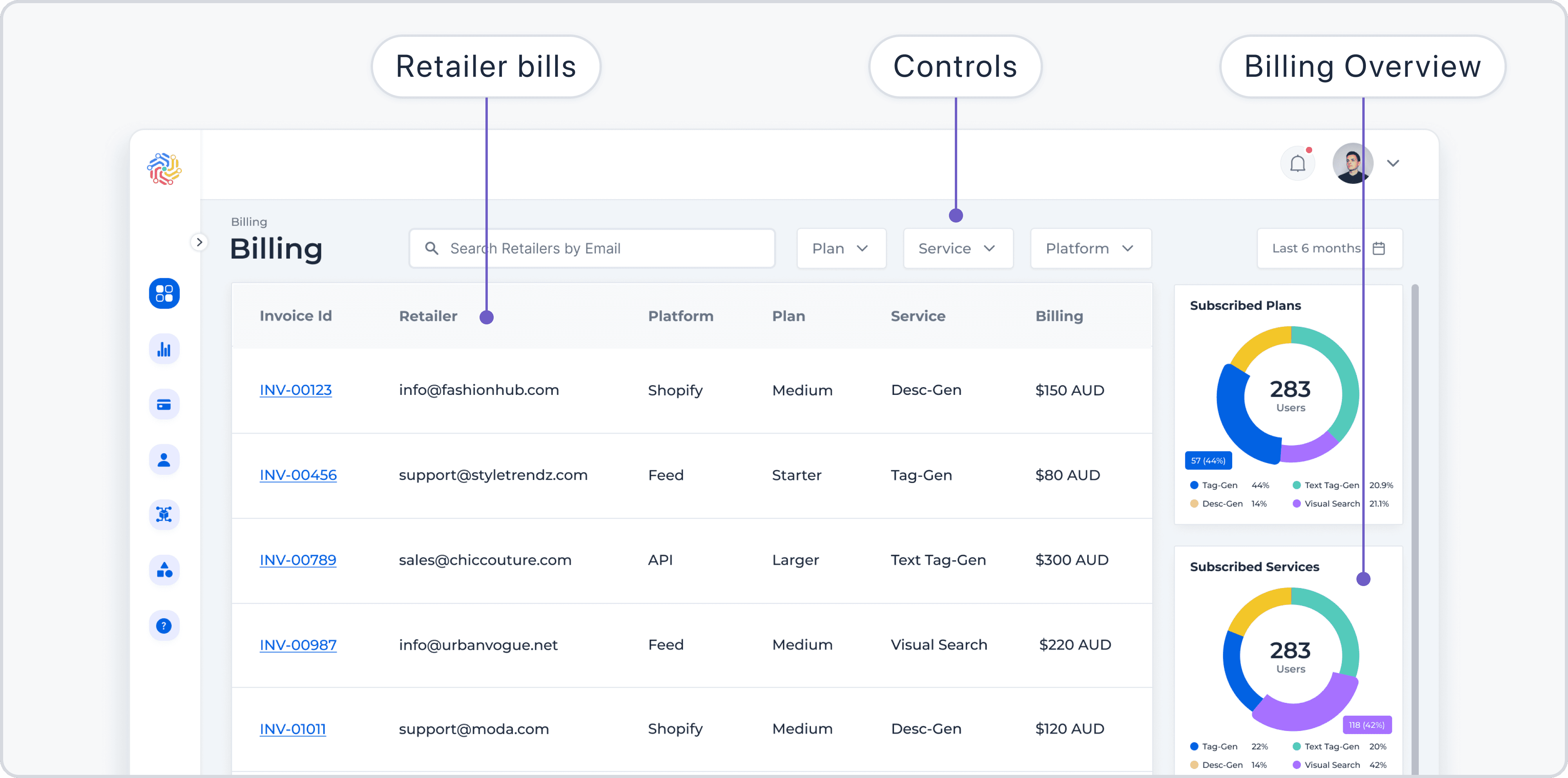
Billing details for a retailer, showing transaction history and subscription plans.
Billing details for a retailer, showing transaction history and subscription plans.
How did I simplify account setup?
How did I simplify account setup?
I introduced automated account setup, where admins only need to input the retailer’s username, password, and company name. The system then handles initialization, account confirmation, and configuring all default settings and services automatically.
I introduced automated account setup, where admins only need to input the retailer’s username, password, and company name. The system then handles initialization, account confirmation, and configuring all default settings and services automatically.
How did I empower admins to make changes?
How did I empower admins to make changes?
Admins can directly edit account details and manage subscriptions with just a few clicks, reducing dependencies and improving efficiency.
Admins can directly edit account details and manage subscriptions with just a few clicks, reducing dependencies and improving efficiency.
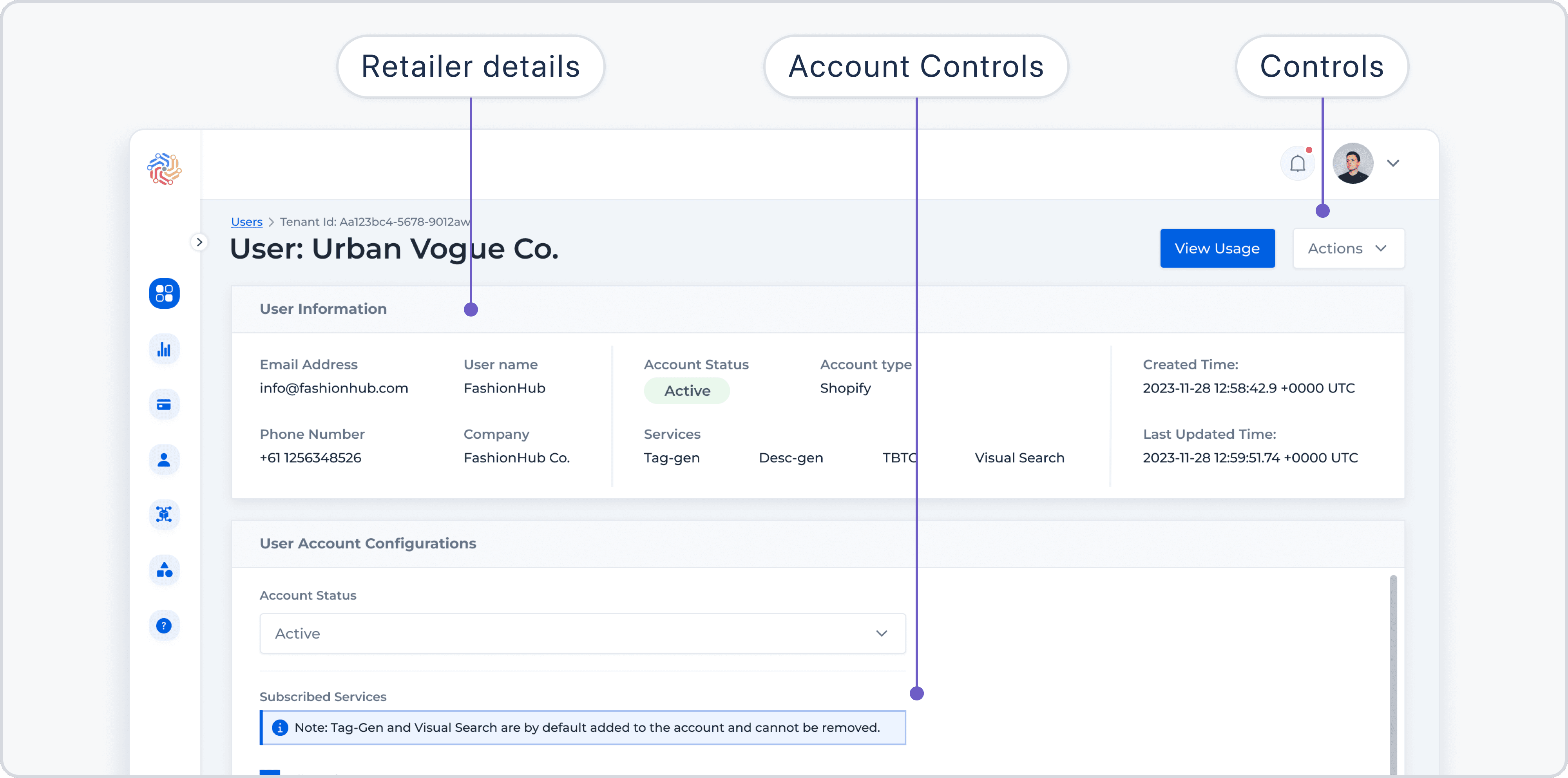
Detailed account information with editable configurations for retailer accounts.
Detailed account information with editable configurations for retailer accounts.
What was the impact of designing the admin dashboard?
What was the impact of designing the admin dashboard?
This design didn’t just streamline processes, it empowered the admin team to work more efficiently and independently:
This design didn’t just streamline processes, it empowered the admin team to work more efficiently and independently:
How did it improve workflows?
How did it improve workflows?
Simplified processes meant admins could handle tasks on their own without relying on backend engineers or product managers. This freed those teams to prioritize higher-value work.
Simplified processes meant admins could handle tasks on their own without relying on backend engineers or product managers. This freed those teams to prioritize higher-value work.
How did it save time?
How did it save time?
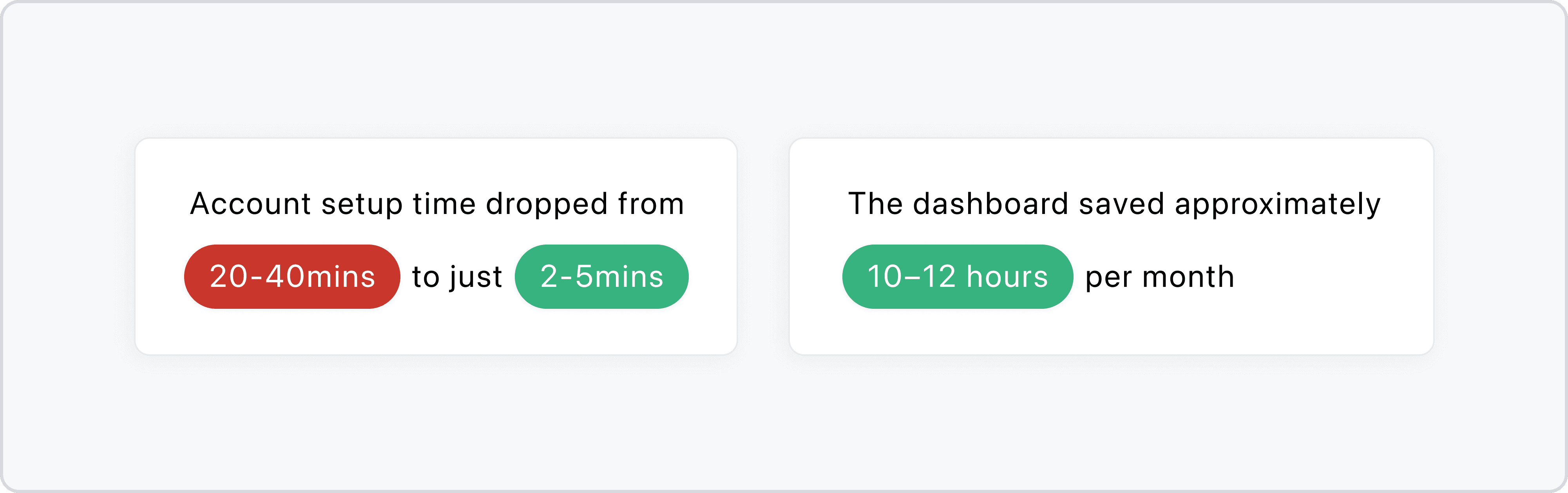
For me, this project highlighted how important it is to listen to internal users and give their challenges the same attention as external user problems.
For me, this project highlighted how important it is to listen to internal users and give their challenges the same attention as external user problems.
But with Okkular dashboard, the situation was a bit different.
But with VirtuFit, the situation was a bit different.
Project: VirtuFit: Building Confidence in Online Shopping
Project: VirtuFit: Building Confidence in Online Shopping
Working in okkular which focused on automation, AI, and fashion, I often encountered challenges users faced when shopping online, Particularly in fashion:
Working in okkular which focused on automation, AI, and fashion, I often encountered challenges users faced when shopping online, Particularly in fashion:
Visualizing products as part of a complete outfit:
Visualizing products as part of a complete outfit:
Users struggled to match clothing items together and visualize how products would look as part of a full outfit.
Users struggled to match clothing items together and visualize how products would look as part of a full outfit.
Inability to try on products virtually:
Inability to try on products virtually:
The lack of virtual try-on options made users hesitant to make purchases, as they couldn’t see how the products would look on them before buying.
The lack of virtual try-on options made users hesitant to make purchases, as they couldn’t see how the products would look on them before buying.
How did I identify the problem?
How did I identify the problem?
I conducted Competitive Research to analyze what global apps were doing with virtual try-ons and outfit creation, but no Indian apps were tackling it. This observation led me to believe that users in India might not have much exposure to virtual try-ons.
I conducted Competitive Research to analyze what global apps were doing with virtual try-ons and outfit creation, but no Indian apps were tackling it. This observation led me to believe that users in India might not have much exposure to virtual try-ons.
What were the key pain points for users?
What were the key pain points for users?
Difficulty in matching products: Users struggled to create cohesive outfits by matching different clothing items together.
Difficulty in matching products: Users struggled to create cohesive outfits by matching different clothing items together.
Lack of confidence in purchasing: Without a virtual try-on experience, users lacked confidence in making fashion purchases, unsure of how products would look on them.
Lack of confidence in purchasing: Without a virtual try-on experience, users lacked confidence in making fashion purchases, unsure of how products would look on them.
With inspiration from existing global solutions,
With inspiration from existing global solutions,
To bring my idea to life, I started with basic sketches and wireframes, taking inspiration from global solutions. These designs helped outline user interactions and conceptualize how the virtual try-on feature could integrate into an intuitive outfit-building experience.
To bring my idea to life, I started with basic sketches and wireframes, taking inspiration from global solutions. These designs helped outline user interactions and conceptualize how the virtual try-on feature could integrate into an intuitive outfit-building experience.
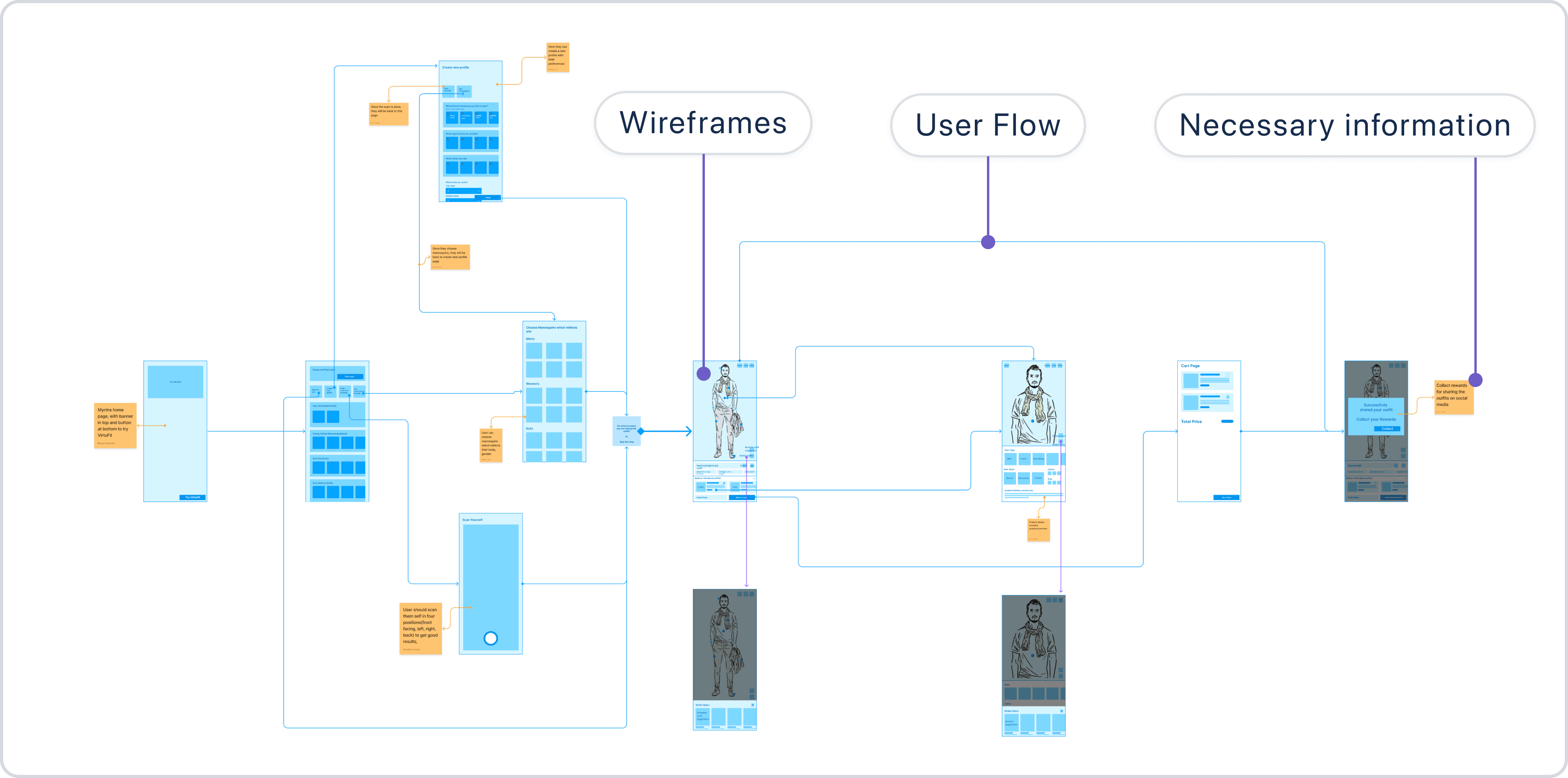
Digital wireframes created to get a clear picture and gather initial feedback.
Digital wireframes created to get a clear picture and gather initial feedback.
How did I validate the idea?
How did I validate the idea?
I conducted usability testing with users to observe and gather feedback. From their responses, I identified gaps and issues such as:
I conducted usability testing with users to observe and gather feedback. From their responses, I identified gaps and issues such as:
Shopping behavior insights: Understanding how users make purchasing decisions.
Shopping behavior insights: Understanding how users make purchasing decisions.
Concerns around security: Users expressed hesitation about virtual scans and privacy.
Concerns around security: Users expressed hesitation about virtual scans and privacy.
Limited familiarity with virtual try-ons: Many users needed a guided and simple process.
Limited familiarity with virtual try-ons: Many users needed a guided and simple process.
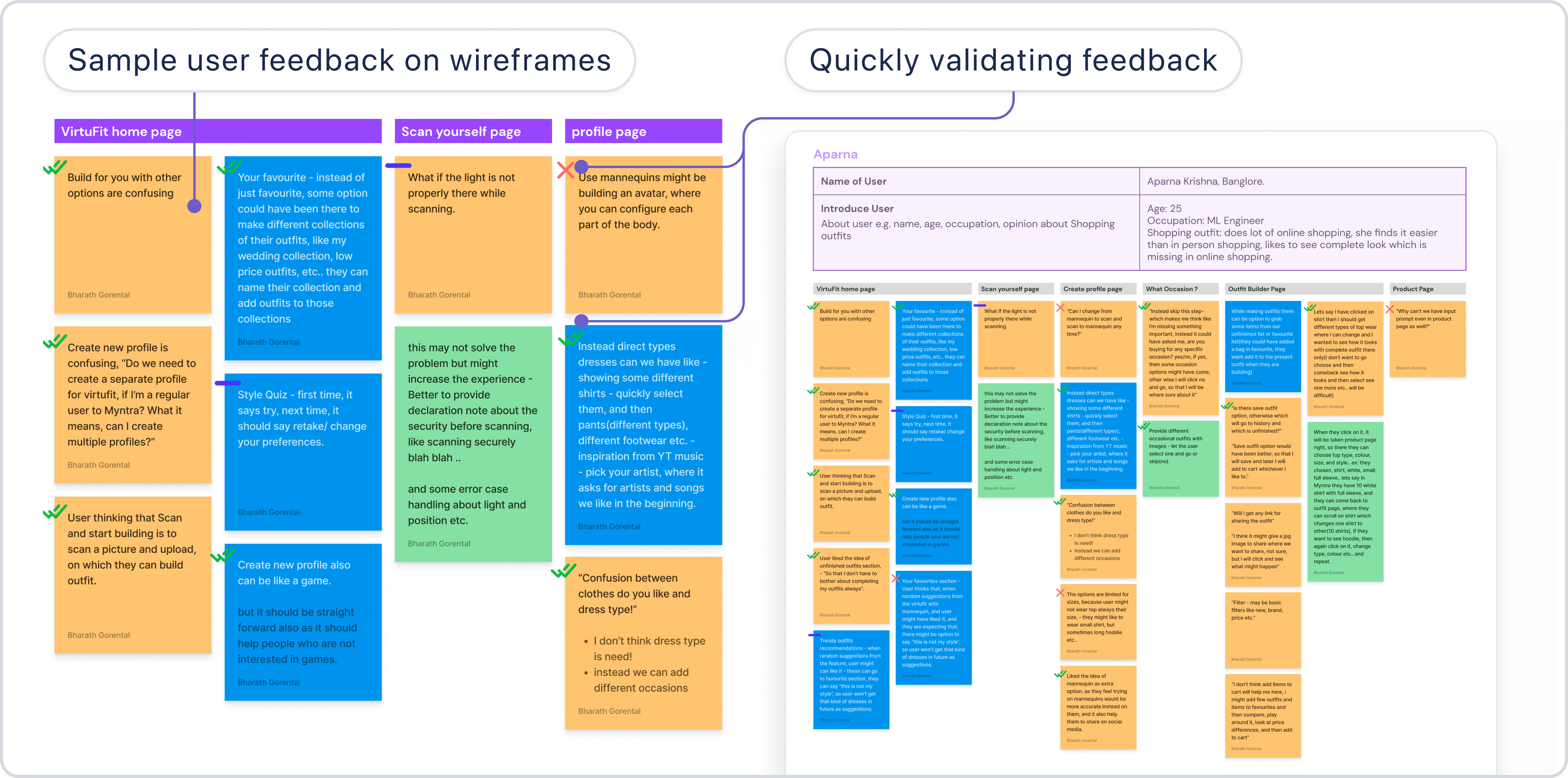
Samples of user feedback on the wireframes.
Samples of user feedback on the wireframes.
Using the feedback from usability testing,
Using the feedback from usability testing,
I developed hypotheses to explore these areas further. These hypotheses guided me in conducting primary research to better understand real user behavior and address their concerns effectively.
I developed hypotheses to explore these areas further. These hypotheses guided me in conducting primary research to better understand real user behavior and address their concerns effectively.
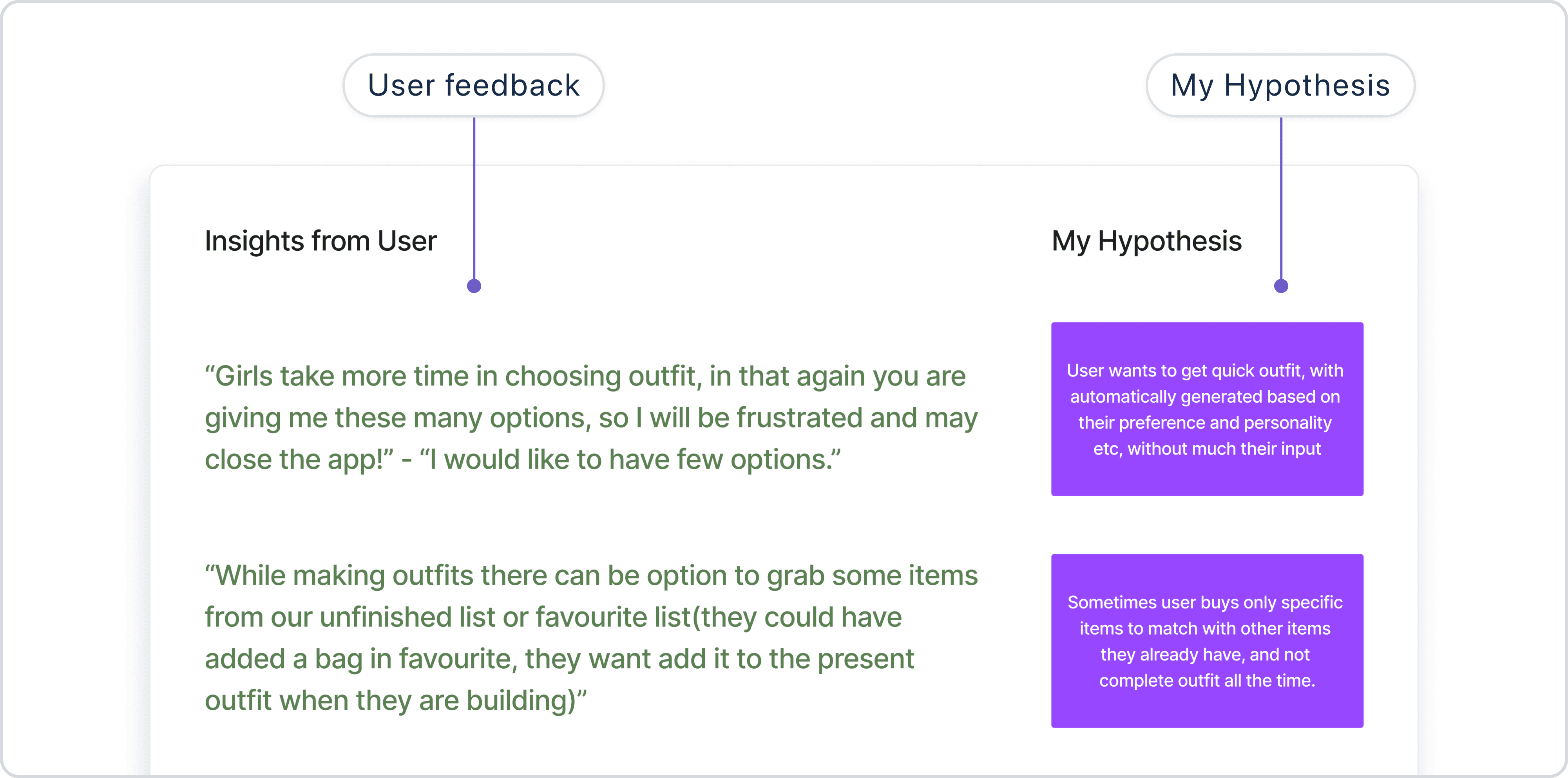
Samples of some Hypothesis I created to validate the feedback
Samples of some Hypothesis I created to validate the feedback
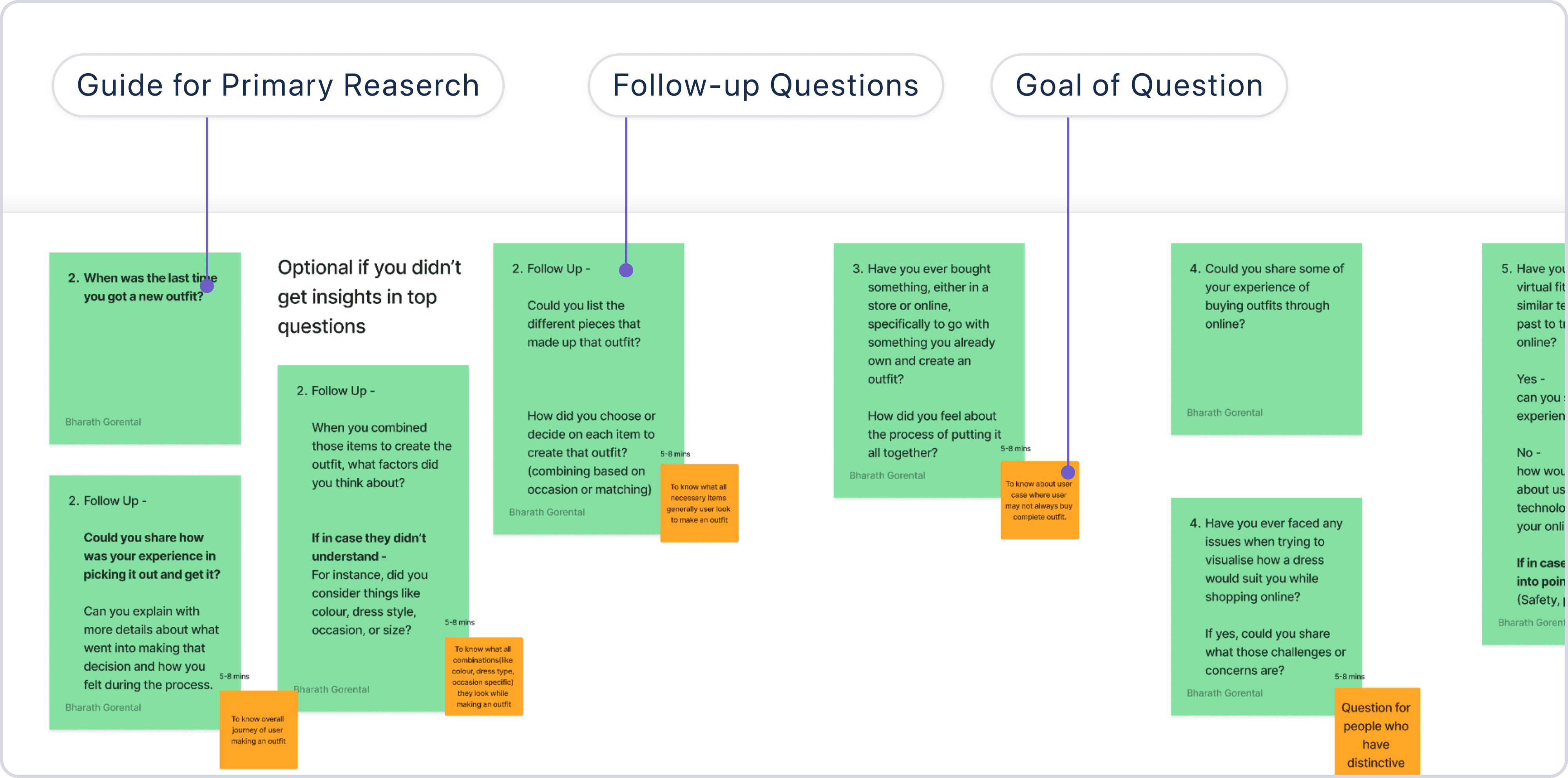
Primary research guide with key questions and follow-up queries.
Primary research guide with key questions and follow-up queries.
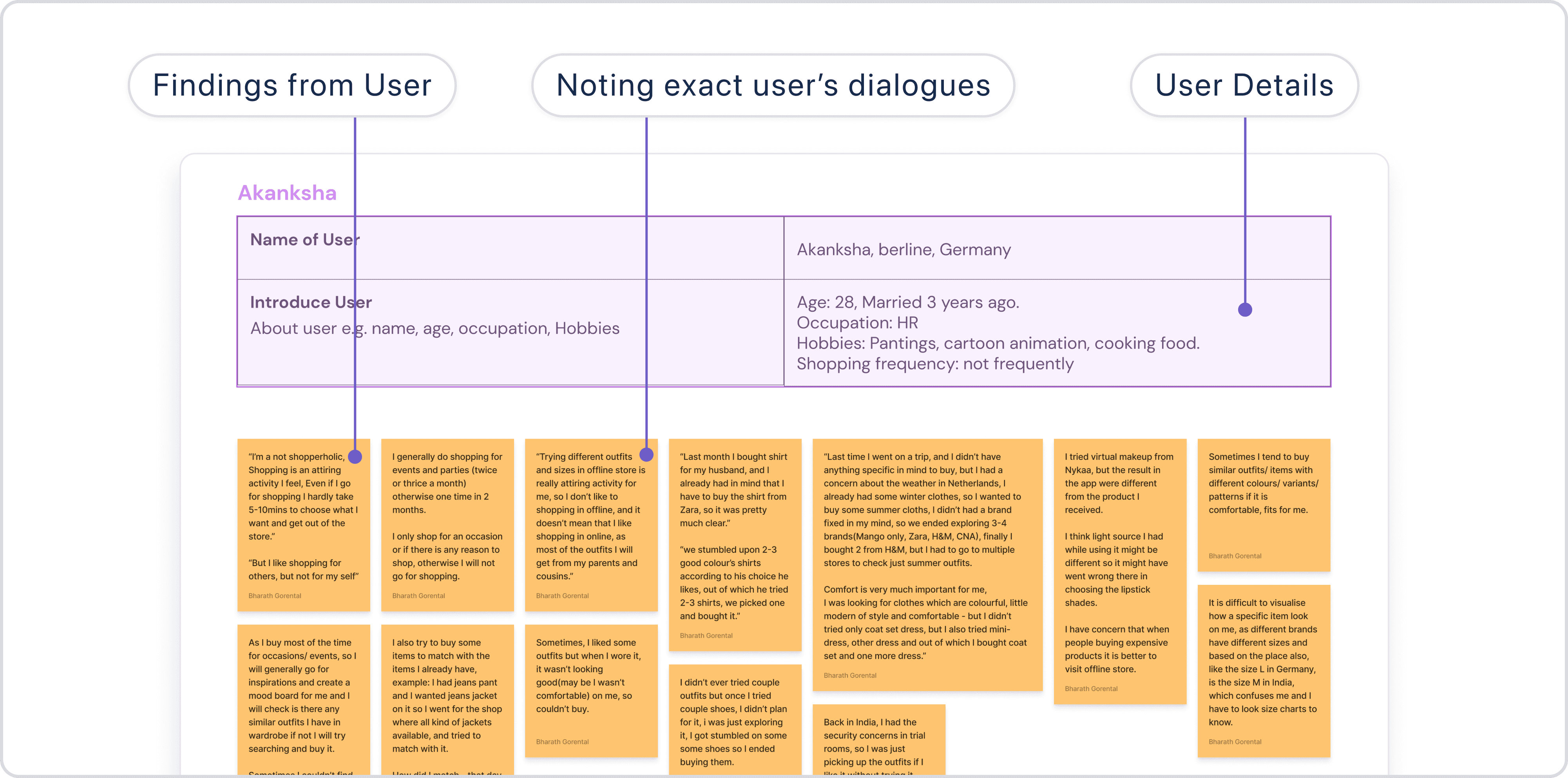
Samples of User feedback gathered during primary research.
Samples of User feedback gathered during primary research.
How did I analyze findings?
How did I analyze findings?
The data gathered from usability testing and primary research was analyzed through affinity mapping, helping me group feedback into patterns and themes. This process led to actionable design insights, such as:
The data gathered from usability testing and primary research was analyzed through affinity mapping, helping me group feedback into patterns and themes. This process led to actionable design insights, such as:
Simplifying the interface for first-time users.
Simplifying the interface for first-time users.
Building trust by addressing privacy concerns transparently.
Building trust by addressing privacy concerns transparently.
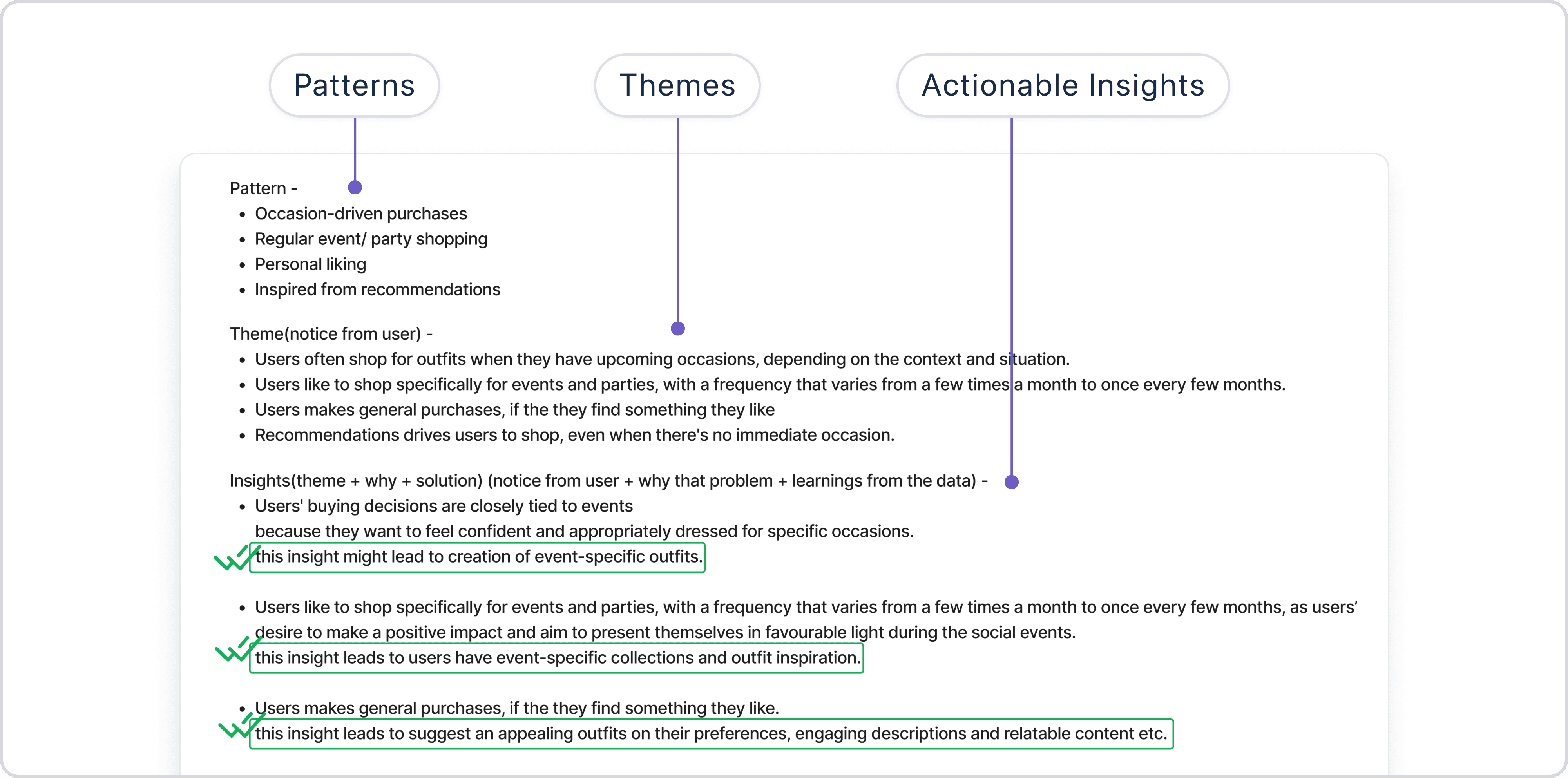
Design insights with patterns and themes from user feedback.
Design insights with patterns and themes from user feedback.
What is the impact?
What is the impact?
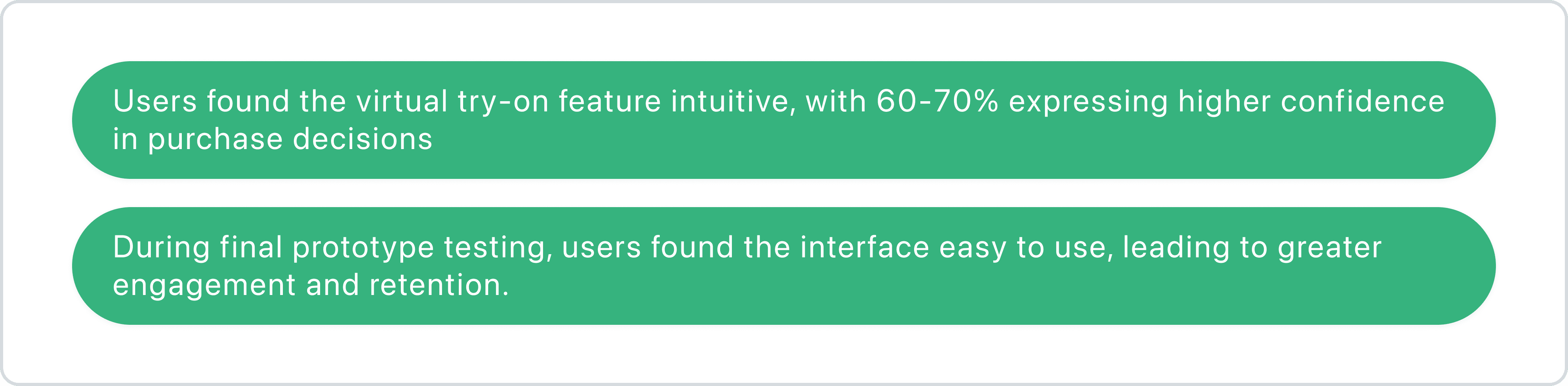
The prototype of VirtuFit received encouraging feedback from industry design leads:
The prototype of VirtuFit received encouraging feedback from industry design leads:
Final Thoughts
Final Thoughts